Instagram
  by
by 
 9 min read
So, where are the Instagram drafts located? Instagram is a very complete social network, and not all users know the platform's true potential. For example, some people don't know that it's possible to leave posts as drafts when, for whatever reason, it's not possible to finish publishing at that moment. For those who want to knowhow to grow on Instagram , one of the first steps is to get to know the platform well. After all, many of Instagram's features can be useful in different ways, whether to make the process of publishing a post easier or to provide new channels of direct communication with followers, such as groups and channels on Instagram. Instagram drafts are one of those features that brands and influencers need to know, as they can greatly facilitate the daily lives of those who need to publish regularly on the social network. Want to know more? Keep reading and find out where the Instagram drafts are located!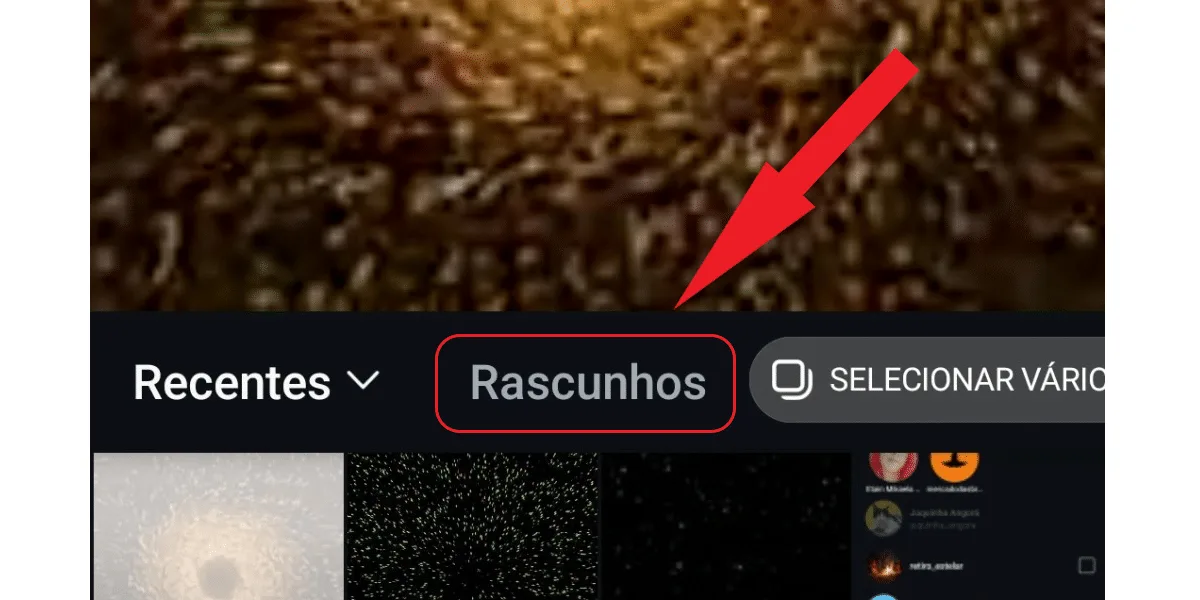 Knowing where your Instagram drafts are located is actually very simple . As soon as you save a post as a draft, a button with that name appears in the post tab. To access it, simply:
What are Instagram drafts?
Before we learn where to find Instagram drafts, it's important to better understand what this feature is all about. Well, whenever you have an idea aboutwhat to post on Instagram and start creating your post, there's a step-by-step process you should follow to create, edit, and publish the content. This applies to both images and videos selected from your gallery, as well as posts made on the spot using Instagram's camera. So, when you're editing your content but need to interrupt the process, or don't want to publish that content at that moment, even if it's ready, you simply click "back." At that moment, Instagram will display a message asking if you want to save the post as a draft. Just tap "save as draft," and that's it; the content will be saved but not published. These posts that you start, edit, and even finish, but don't publish, are Instagram drafts. That's why it's important to know where to find Instagram drafts, so you can find this content later! How about giving your Instagram profile an upgrade? Try buying Brazilian Instagram followers , and see how quickly your profile's reach can expand!Where are the Instagram drafts located?
Knowing where your Instagram drafts are located is actually very simple . As soon as you save a post as a draft, a button with that name appears in the post tab. To access it, simply:- Tap the + button at the bottom of your screen;
- Select the type of post, choosing between post, story, and reel;
- Click the draft button.
Can I delete Instagram drafts?
Now that you know where Instagram drafts are located, you may have noticed that there are draft posts you no longer want to publish. If that's the case, you can choose to delete those drafts. It's very simple, just:- Return to the drafts tab;
- Click on the manage option;
- Click the pencil button in the upper left corner;
- Select the posts you want to delete;
- Click the V-shaped button in the upper left corner to discard.
How do I save a story as a draft on Instagram?
Saving a story as a draft on Instagram can be very useful. After all, many people like, or need to for strategic reasons, post stories daily on Instagram. Therefore, saving stories as drafts can be a practical way to post daily without fail, without having to use the Instagram story scheduling feature, which isn't available within the Instagram app itself. And saving your story as a draft is really very simple. Just:- Click the + button at the bottom of the Instagram app screen;
- Choose the item from your gallery, or use your camera to take a photo;
- Make all necessary edits;
- Then, click back until the option to save the post as a draft appears;
- When Instagram displays the option, click on save draft .