Instagram
  by
by 
 12 min read

Have you ever wondered what DM means on Instagram ? It's quite likely you have, right? After all, you found this article today! So, if that's the case, you need to read this article to the end and take advantage of all the tips we've prepared! Instagram is full of interesting features for the user, one of which is Instagram Direct or DM, a messenger integrated into the platform that allows users to exchange messages with each other, maintaining good communication. But there's much more to knowing about what DM means on Instagram!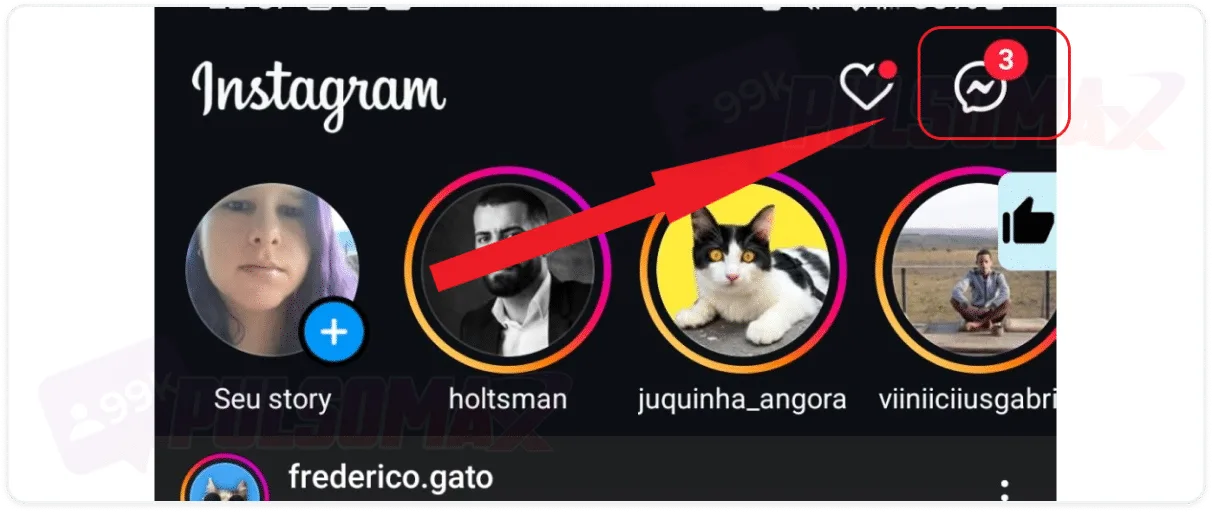 Great! You've arrived! Now you have your Instagram conversation list. But if you've never used this feature before, you probably don't have any conversations in your DMs yet.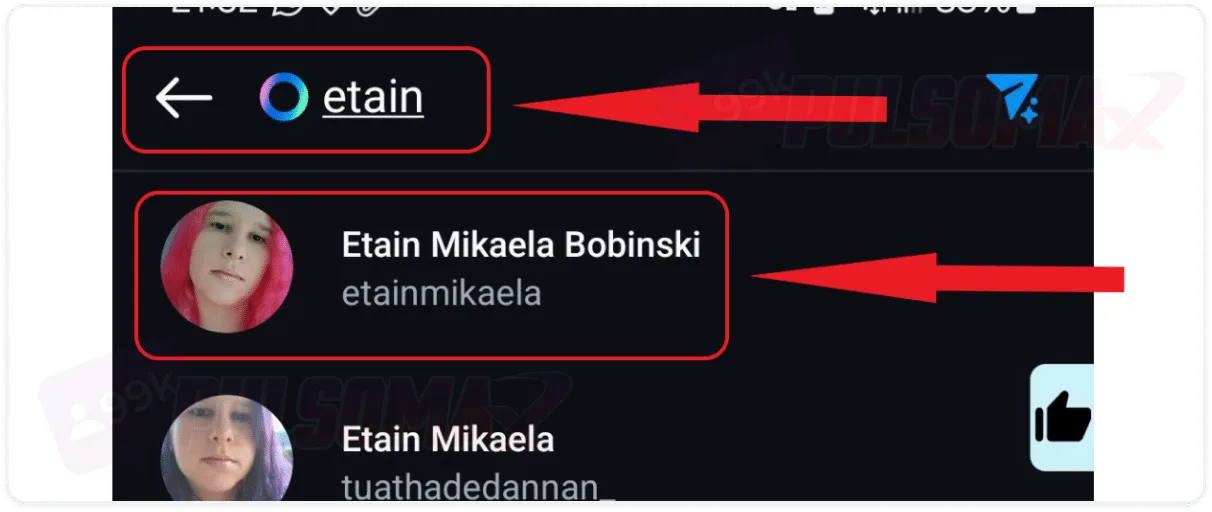
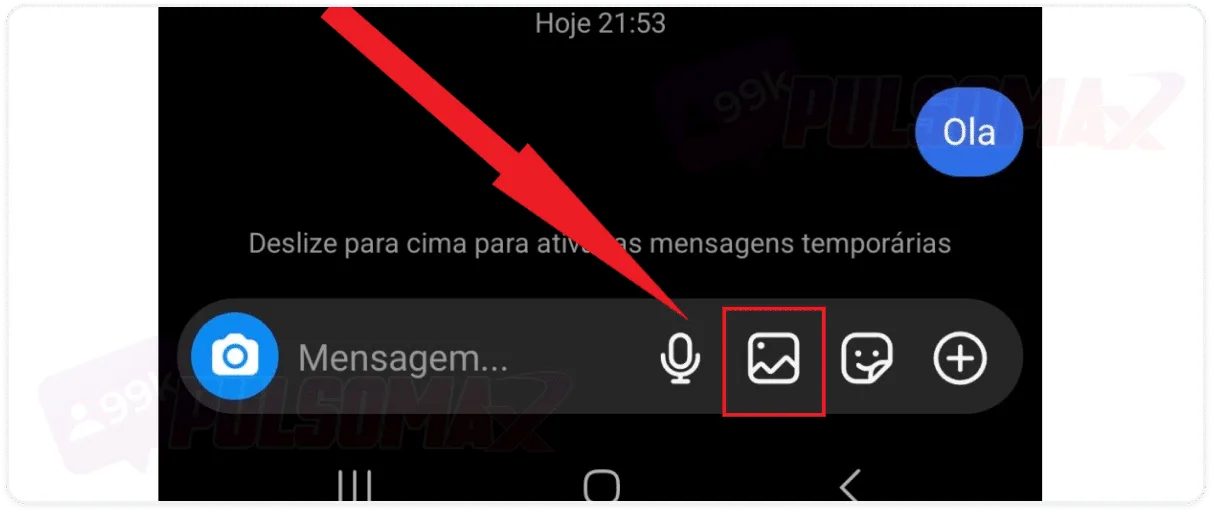
 Done! You've sent a simple DM on Instagram. Also note in the image above that there are some buttons next to the message box. With them, you can record audio (microphone button), send images and photos (image button) , send stickers (button with smiling emoji) , and send your location (tap the + button). Have you ever thought about accelerating your growth on Instagram? It's possible! Try buying real Instagram followers and see how your profile can get that upgrade faster!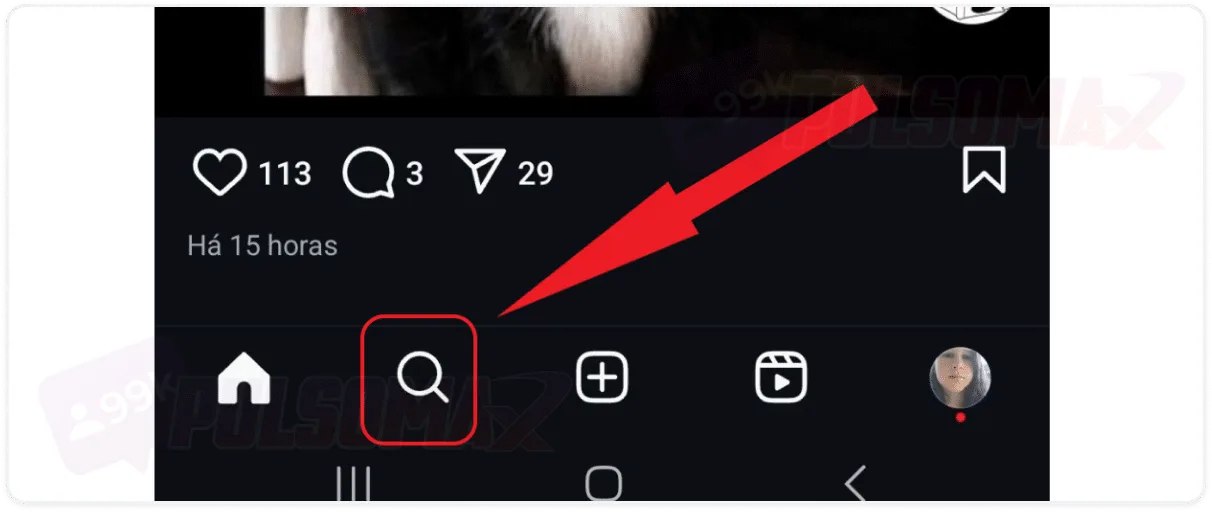
 So, if you're on one of your contacts' profiles, or someone you want to contact, using this shortcut can make it easier to get in touch. Deleted your DM conversations and need to recover the messages? Read also: how to recover deleted Instagram conversations .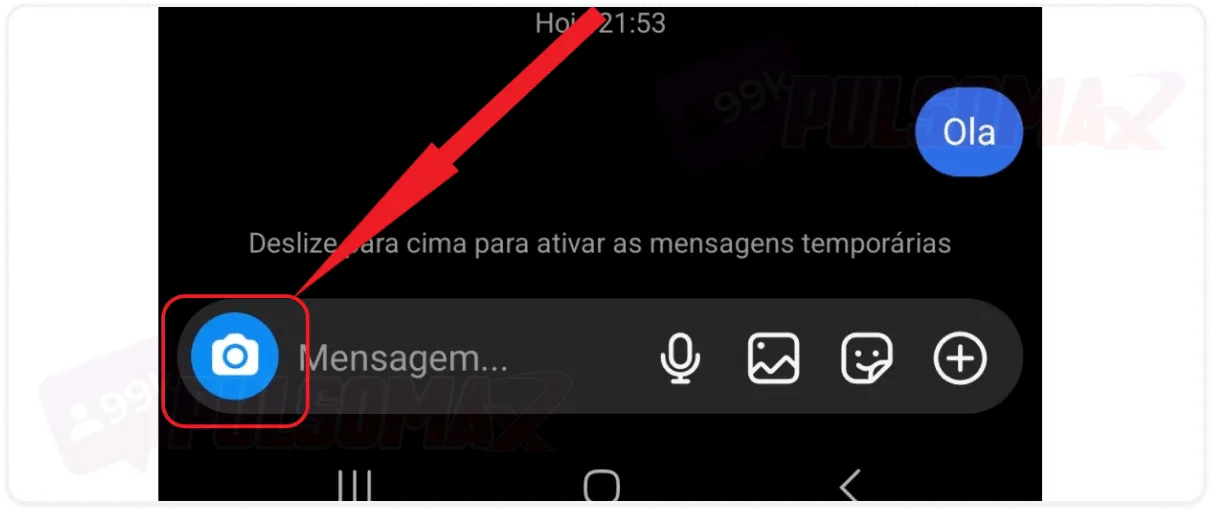
 Done! You've sent your real-time location, and it will be available in your Instagram DMs for 1 hour. The user, or you yourself, simply need to click "see location" in the chat, and the location will be displayed quickly and easily.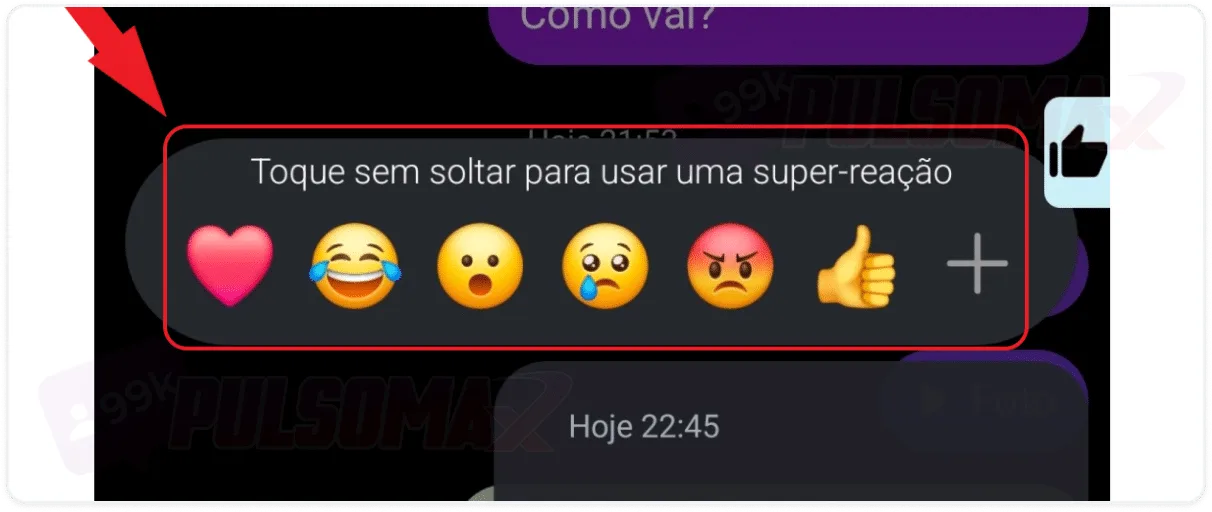
 Done! Message edited, and resent with the corrections you made. But be aware: the sender will know that the message has been edited, as a notification will appear above it. Therefore, this feature doesn't work for those who want to edit DM messages without being noticed! You can also delete the message, if you prefer, or even delete the entire Instagram conversation. However, if you want to delete multiple DM conversations at once, you'll need a business account , as this function is available on personal accounts.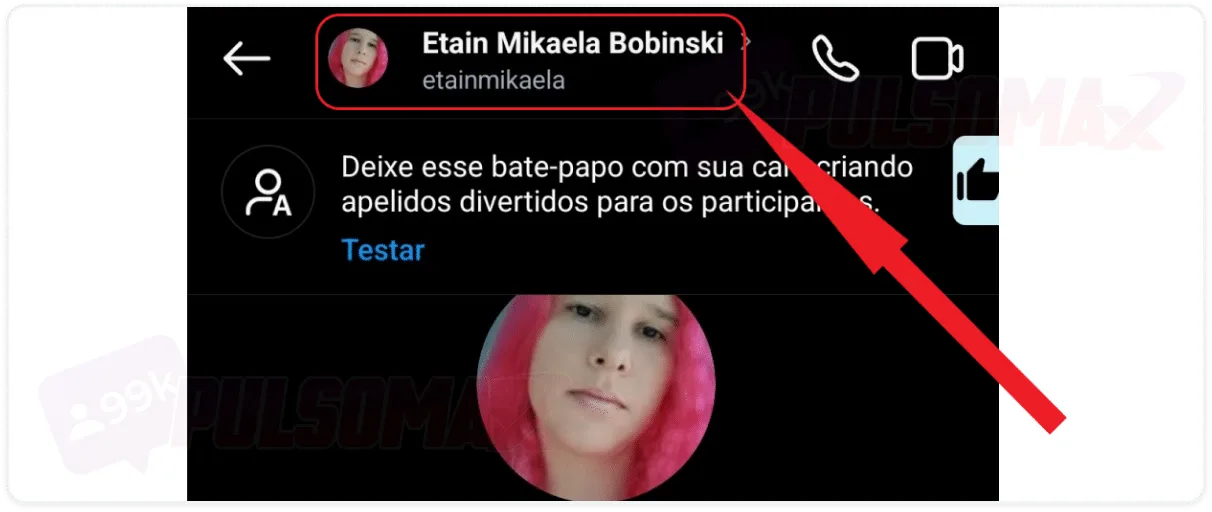
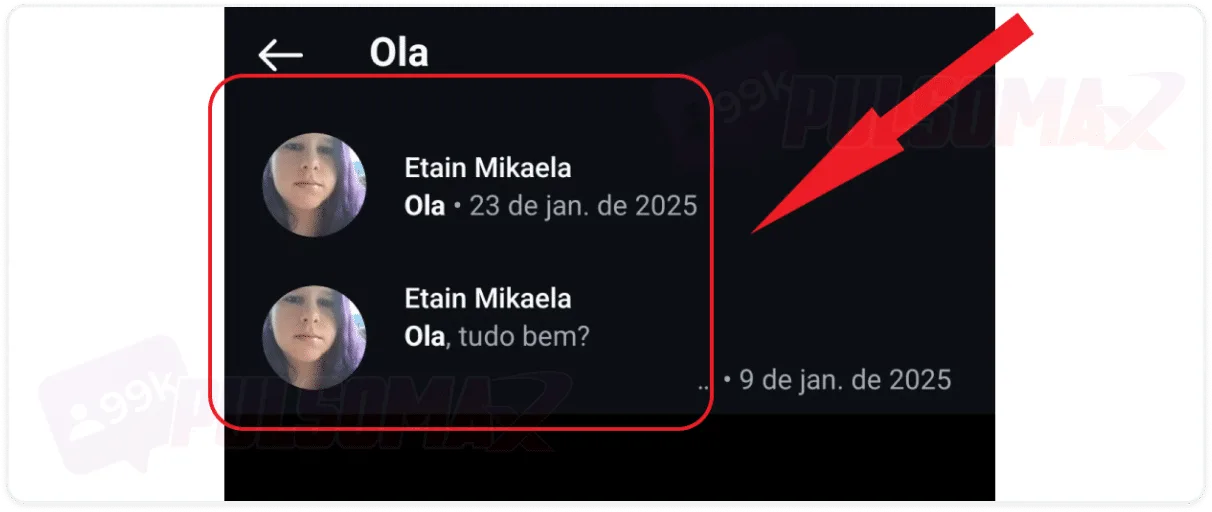
So, what exactly does DM mean on Instagram?
On the internet, especially on social media, DM means direct message . And that's exactly what DM means on Instagram: direct message. Another way the acronym DM is used on Instagram is to refer to the network's own messaging app, Direct, where all conversations with other users of the social network take place. It's worth mentioning that all social networks have their own internal forms of communication. These are chat conversations with unique settings. Therefore, Instagram's DM is not exactly the same as the DM on other networks, such as Facebook, although it is similar.How can I use Instagram DMs?
Now that you know what DM means on Instagram, you must be wondering how you can use the chat, right? Of course, the most common functionality, as in any other chat, is sending text messages by typing. But that's not all, because DM is actually a very complete chat and allows you to:- Send images and photos;
- Send photos and single-view images;
- Send audio messages;
- Send videos;
- Make video calls;
- Create group chats;
- Send your real-time location.
Can I send files via Instagram DM?
Understanding what DM means on Instagram is understanding that not all types of content can be sent there. For example, the social network doesn't allow you to send files like docs or PDFs in the chat. Therefore, if you need to send these files to someone, you should choose another method, such as email or WhatsApp.Where is the Instagram DM located?
Now that you better understand what DM means on Instagram, know that it's also quite simple to locate the social network's messaging app. To do this, first log into your Instagram account on your Android or iOS app, and then:Tap on the speech bubble icon.
Great! You've arrived! Now you have your Instagram conversation list. But if you've never used this feature before, you probably don't have any conversations in your DMs yet.How do I send a DM on Instagram?
After understanding what DM means on Instagram, and where the messenger is located, learning how to send a DM is quite simple! And with the following step-by-step guide, it's even easier. So, to begin, access your DM by tapping the speech bubble icon, as you learned in the previous section, and:Enter the username to send the DM and select the correct profile.
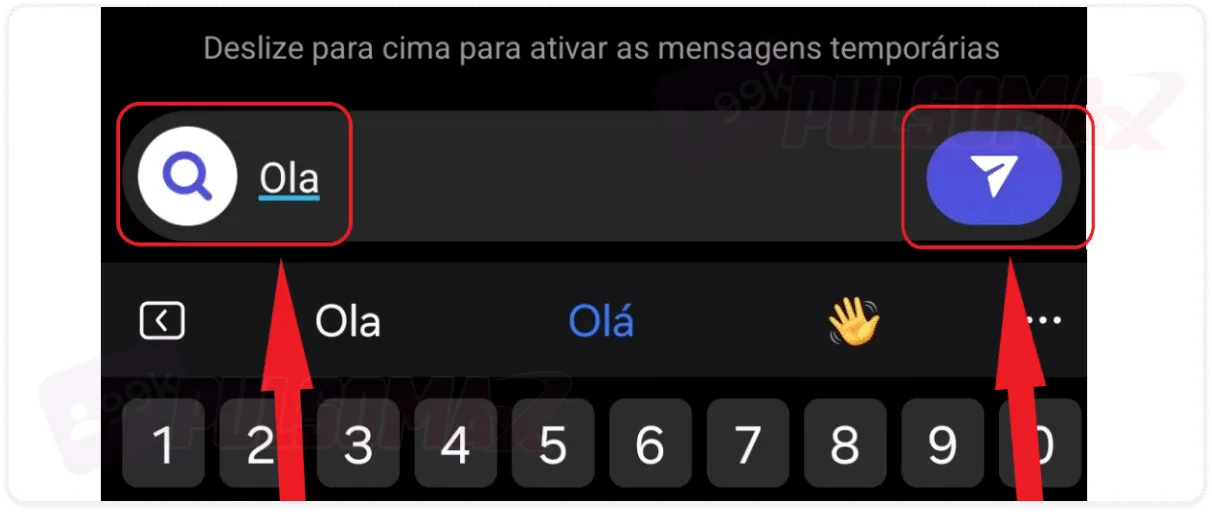
Write your message at the bottom and tap the blue button.
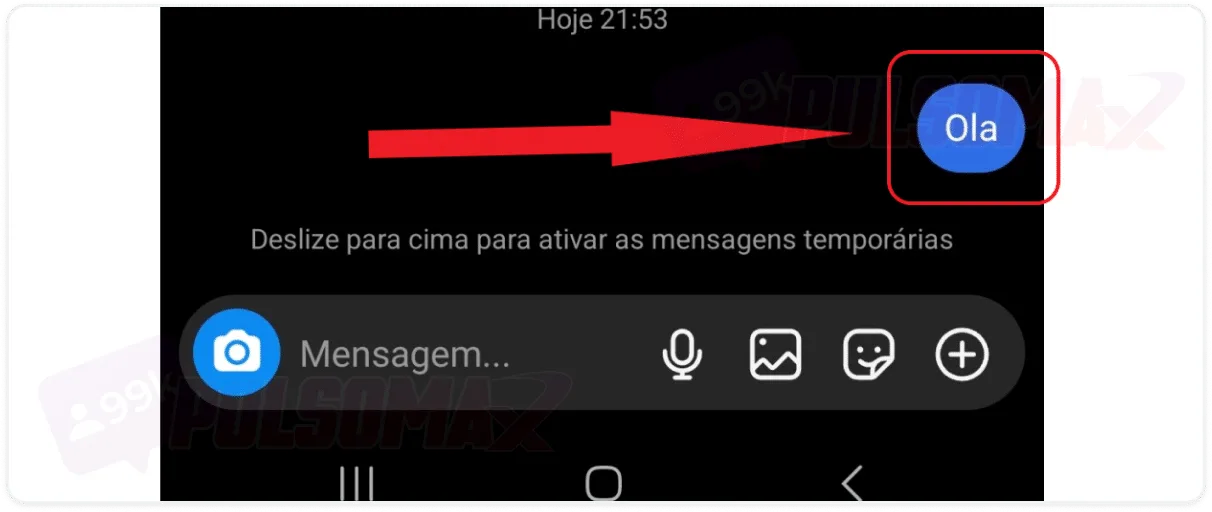
See your message in the chat.
Done! You've sent a simple DM on Instagram. Also note in the image above that there are some buttons next to the message box. With them, you can record audio (microphone button), send images and photos (image button) , send stickers (button with smiling emoji) , and send your location (tap the + button). Have you ever thought about accelerating your growth on Instagram? It's possible! Try buying real Instagram followers and see how your profile can get that upgrade faster!How do I send a DM on Instagram from a user's profile?
When you understand what DM means on Instagram , you realize that the feature is quite versatile and complete. But it's also dynamic. After all, if you prefer, you can send a DM simply by accessing the profile of the user you want. To begin, open your Instagram app and:Tap the magnifying glass button to open the Instagram explorer.
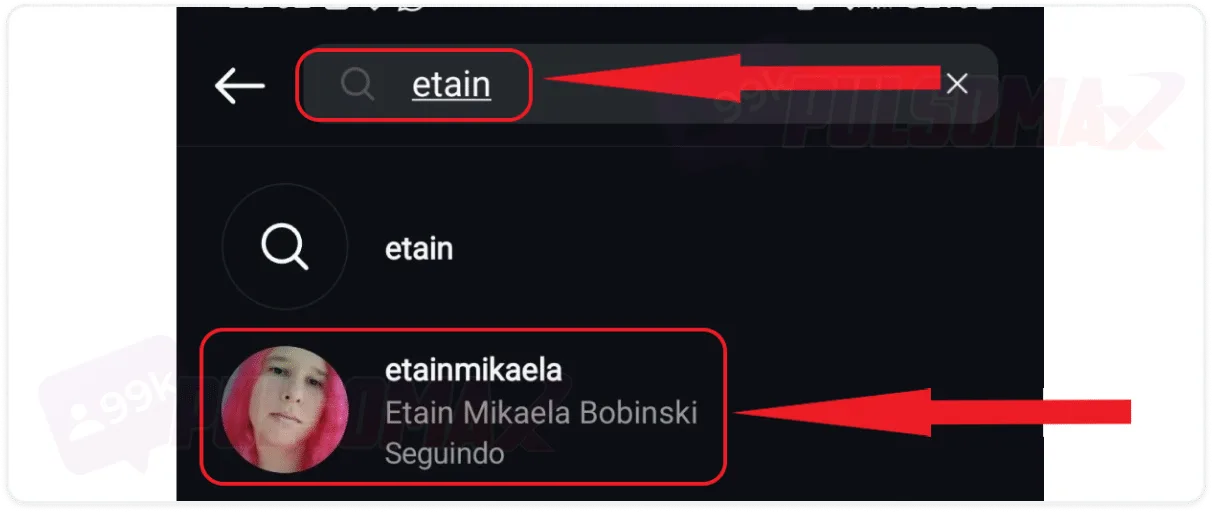
Type the username in the search bar and tap on the correct profile.
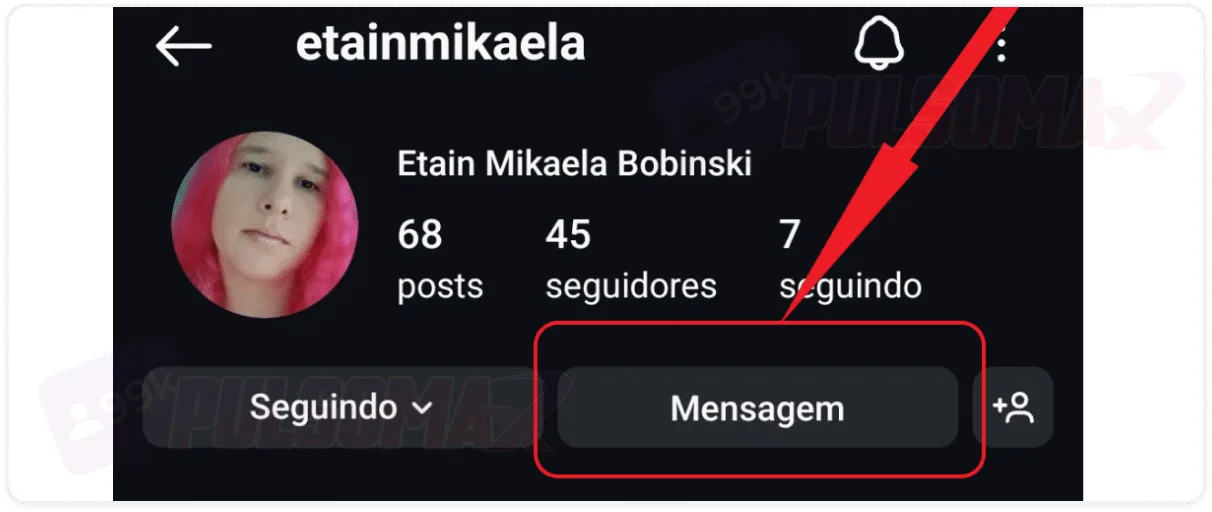
Tap on the message in the recipient's profile.
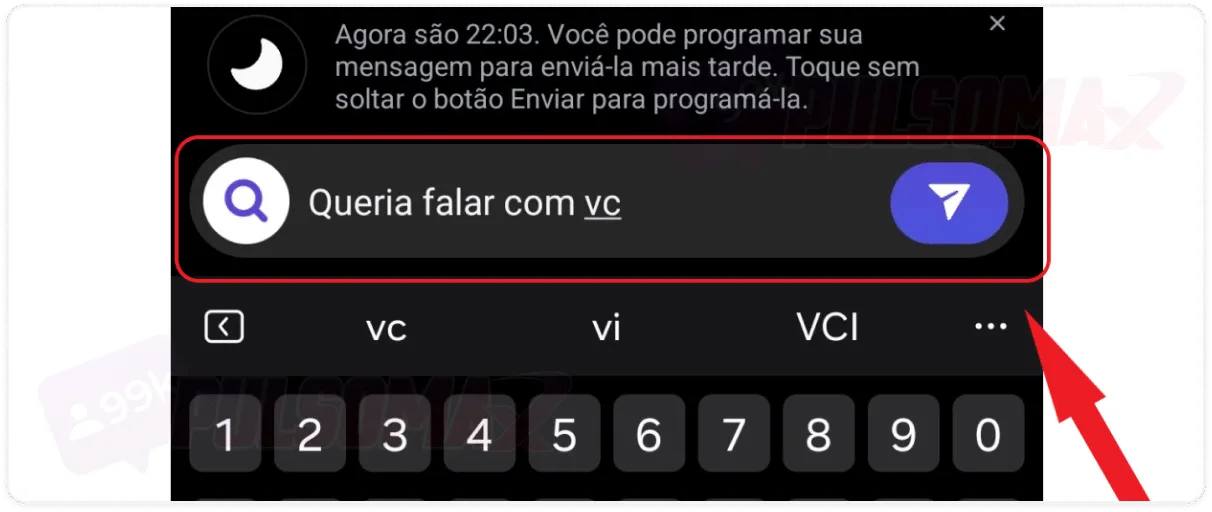
Write your message and click send.
So, if you're on one of your contacts' profiles, or someone you want to contact, using this shortcut can make it easier to get in touch. Deleted your DM conversations and need to recover the messages? Read also: how to recover deleted Instagram conversations .How do I send a photo via Instagram DM?
If you want to send a photo via Instagram DM, you now know it's possible, now that you understand what DM means on Instagram. So, to send photos taken on the spot, or images from your gallery, access your DM by tapping the chat bubble button, tap on the desired conversation or search for the user you want to send the images to, then:Use the camera button as shown in the following image.
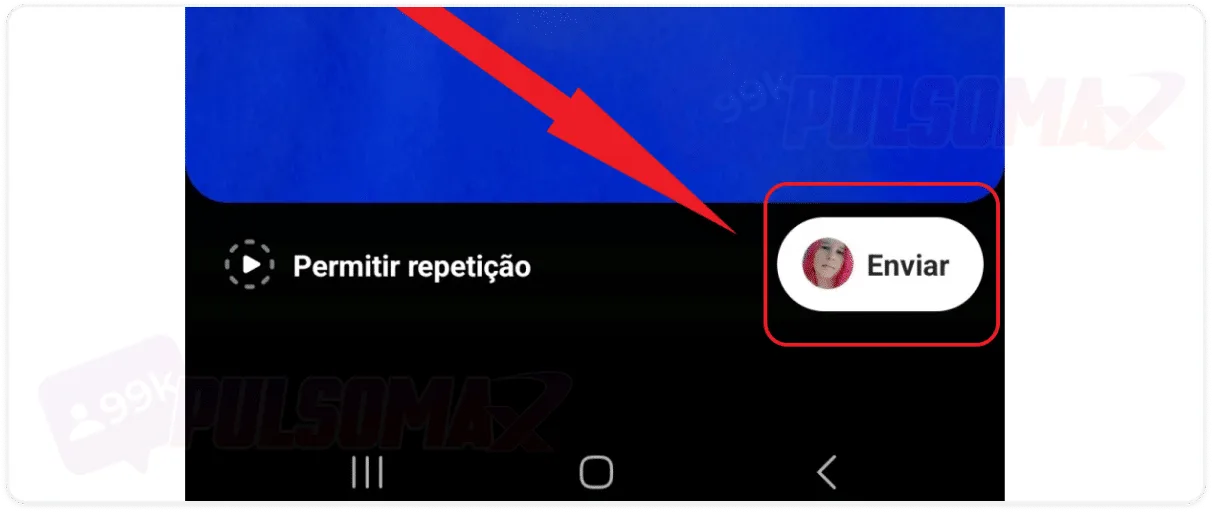
Take the photo and click send.
Or use the images button to select an existing photo and upload it.
How do I send my location via Instagram DM?
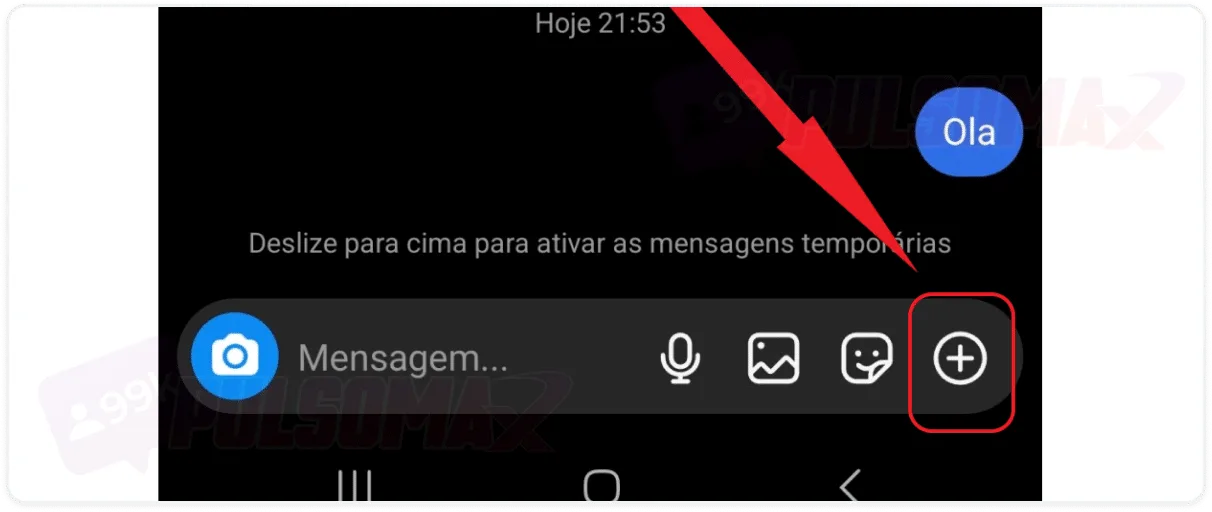
It's very common to be chatting with someone and need to send your location to the other user. By discovering what DM means on Instagram , you have a safe channel for this type of interaction whenever necessary. For example, to let your friends know where to pick you up for that date to go to a club. To begin, go to your Instagram DMs, find the user you want using the search function, as you learned in previous sections, or tap on the desired conversation. Then:Tap the + icon in the right corner.
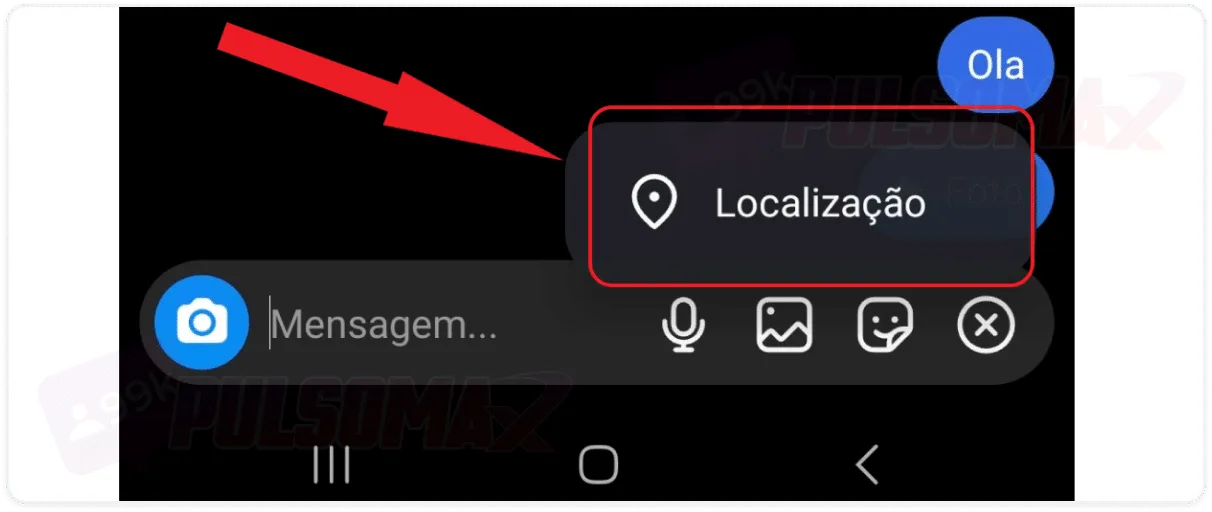
Click on location.
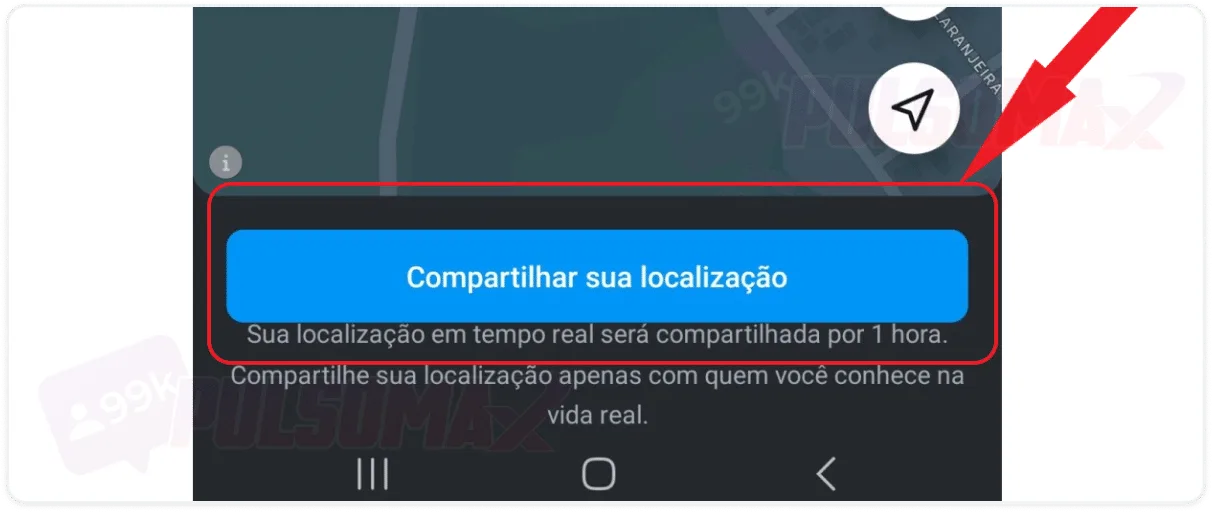
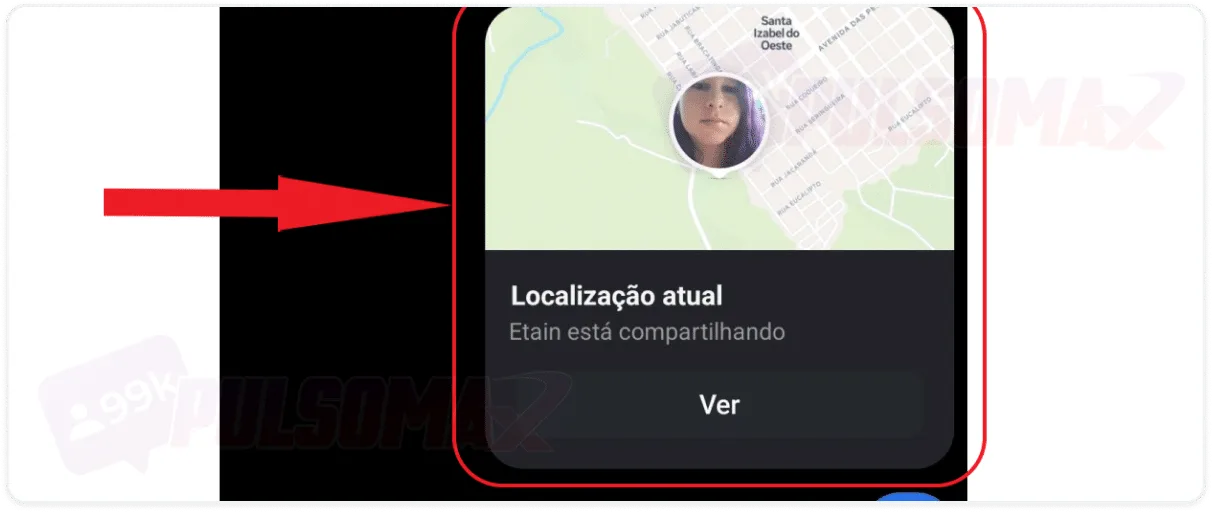
Click on "share your location" to send it.
See the result in the chat.
Done! You've sent your real-time location, and it will be available in your Instagram DMs for 1 hour. The user, or you yourself, simply need to click "see location" in the chat, and the location will be displayed quickly and easily.How should I react to a message in DM?
Okay, you received a message in your DM and want to express your feelings? Or simply respond quickly with the famous "thumbs up," which shows that you received the message and understood its content? It's very simple, just go to the desired conversation in your DM list, then:Tap and hold on the message, then click on the desired reaction.
Why can't I respond to messages sent in Instagram DMs?
If you're having trouble responding to DM messages, the most likely reason is that your Instagram app is outdated. So, check how to update Instagram , update your app, and test it to see if everything is back to normal and you can respond normally. Now, if that doesn't solve the problem, or your app is up to date, Instagram may be experiencing a temporary instability; in that case, you need to wait for the instability to pass. Other possible reasons are a bug in the social network, which will be fixed in future updates, or some restriction your account has suffered for violating community guidelines. If in doubt, go to the Instagram help section and click on "report a problem" to notify the social network and wait for a response from support.How do I edit a sent DM on Instagram?
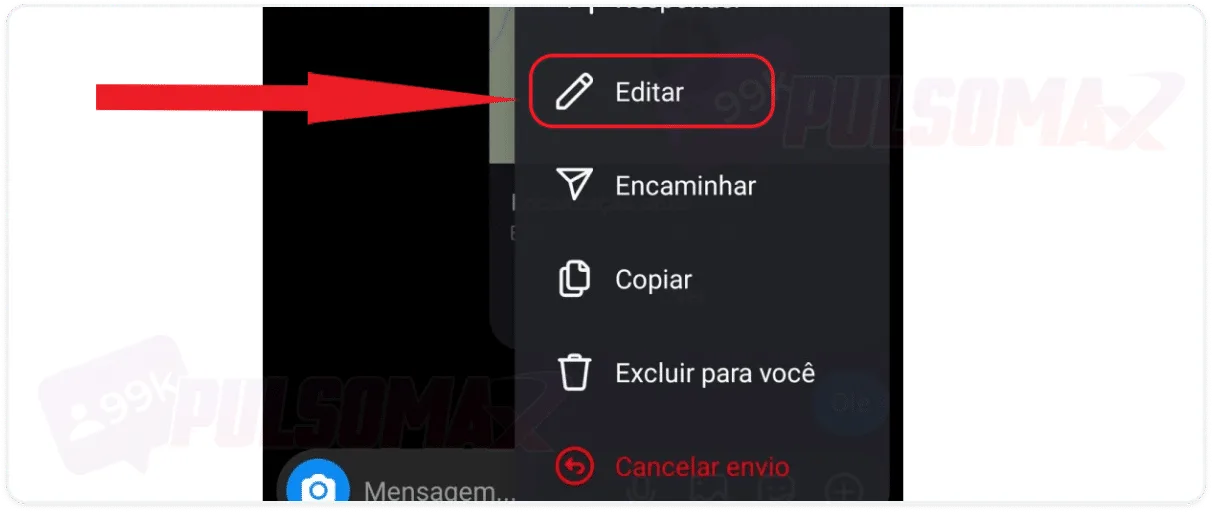
You already know what DM means on Instagram, but did you know it's possible to edit the messages you send? If you wrote something wrong, need to correct spelling errors, add content, or make any other changes to messages sent less than 15 minutes ago, it's possible. So, now that you know what DM means on Instagram, see how to quickly edit your messages.Tap and hold on the message you want, then click edit.
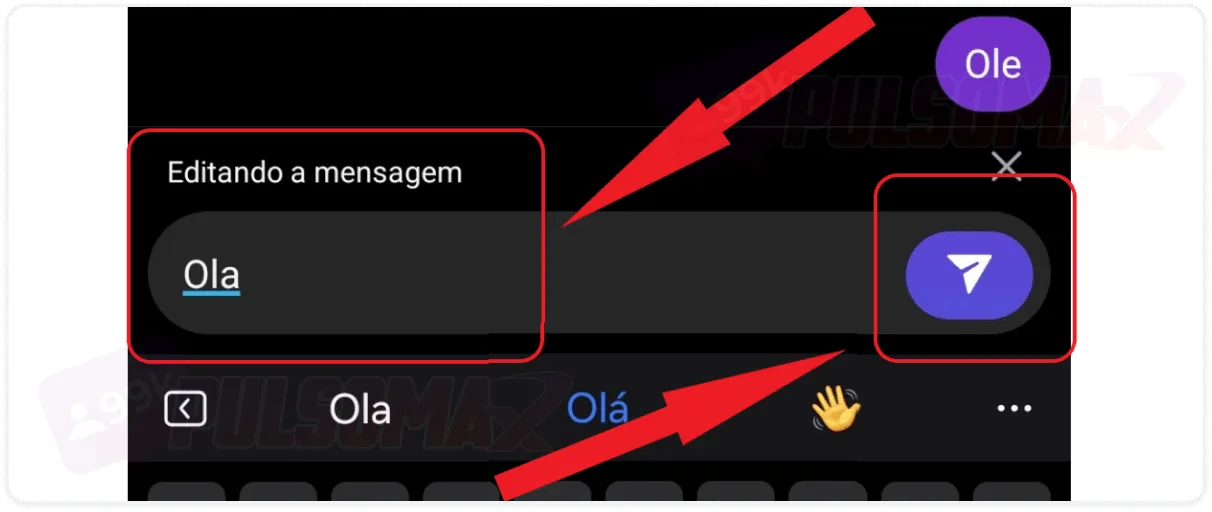
Rewrite the message and tap the blue button to send it.
Done! Message edited, and resent with the corrections you made. But be aware: the sender will know that the message has been edited, as a notification will appear above it. Therefore, this feature doesn't work for those who want to edit DM messages without being noticed! You can also delete the message, if you prefer, or even delete the entire Instagram conversation. However, if you want to delete multiple DM conversations at once, you'll need a business account , as this function is available on personal accounts.How do I search for messages on Instagram?
You've already learned a lot about what DM means on Instagram , haven't you? So, you're ready to use your direct messages and start sending lots of messages to your contacts on the social network. But, when there are many messages in your chat with someone and you want to retrieve a specific message, what do you do? Well, you don't need to search message by message, because there's a search function. Check out how to do it.Tap on the user's name in the conversation.
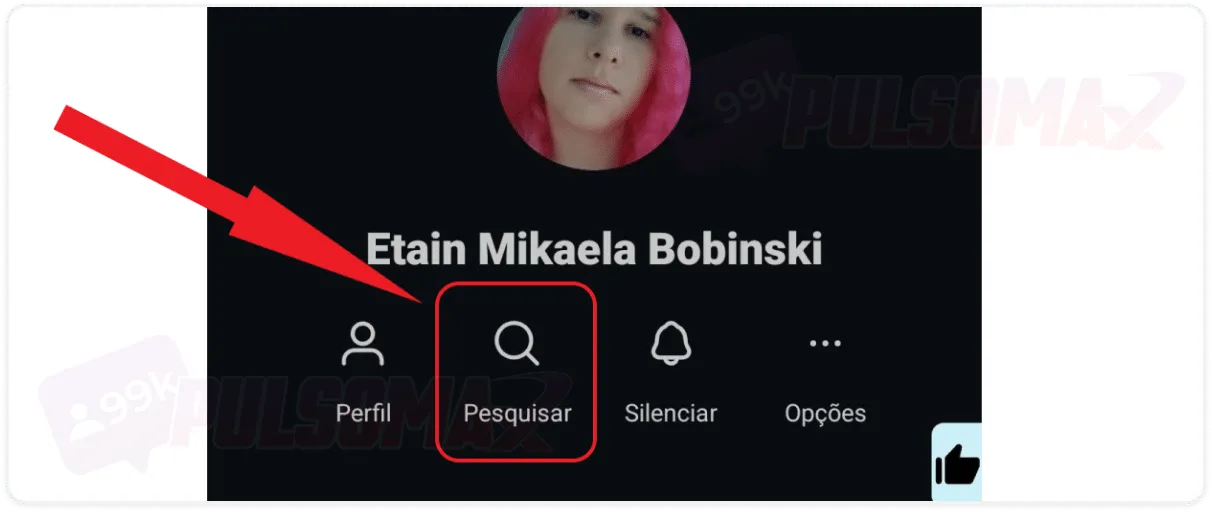
Tap search.
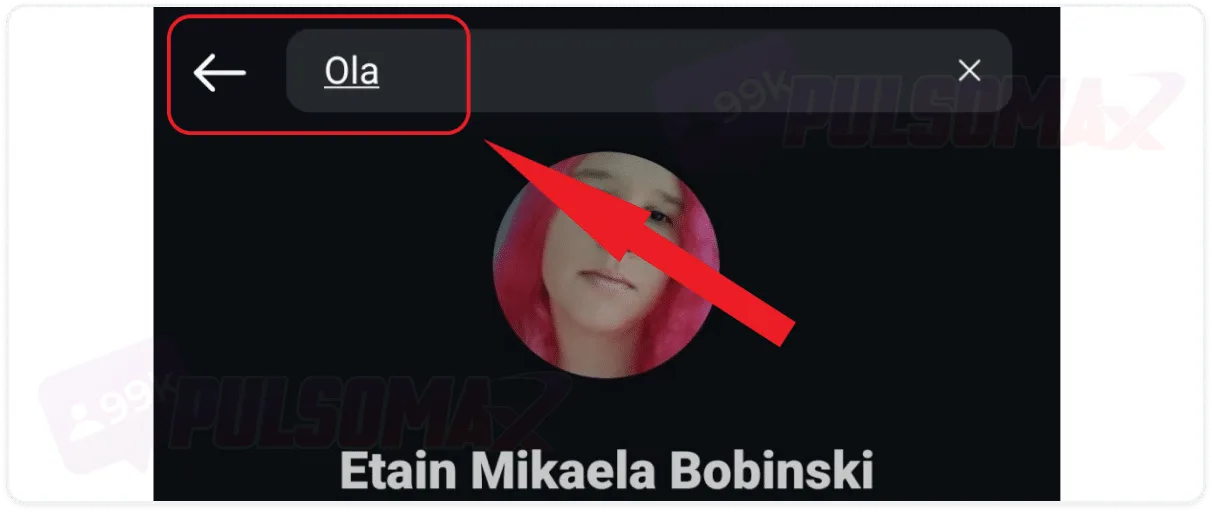
Type the message you are looking for, or something close to it, in the search bar.
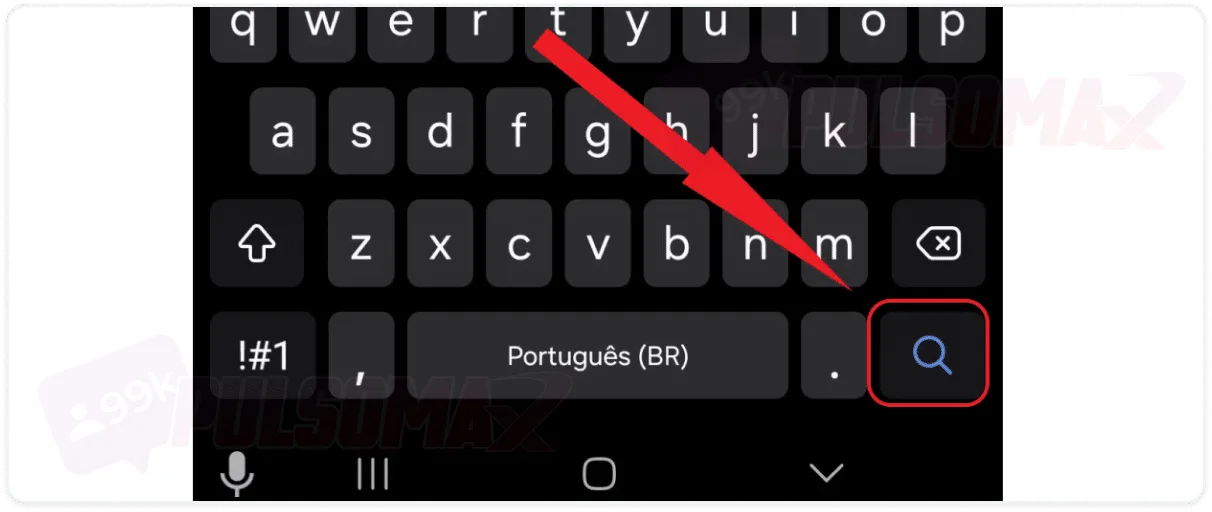
Tap the send button on your keyboard.
View the results and tap on them to access them.