Instagram
  by
by 
 10 min read
Don't know how to delete comments on Instagram? It's common to receive unwanted comments on your profile, especially if you're someone with many Instagram followers, such as an influencer or a company. On the other hand, you might also regret commenting on a post; this happens. In either of these situations, learning how to delete comments on Instagram is necessary. Think about it: you invest in growing your profile, buy Instagram followers , and strive to gain prominence on the social network. You don't want offensive comments on your posts. Similarly, taking care of your image when commenting on other posts is necessary. But even people who use Instagram for personal purposes may want to learn how to do this, since this type of situation can happen to anyone. With that in mind, we've prepared this complete tutorial, with images, on how to delete comments on Instagram.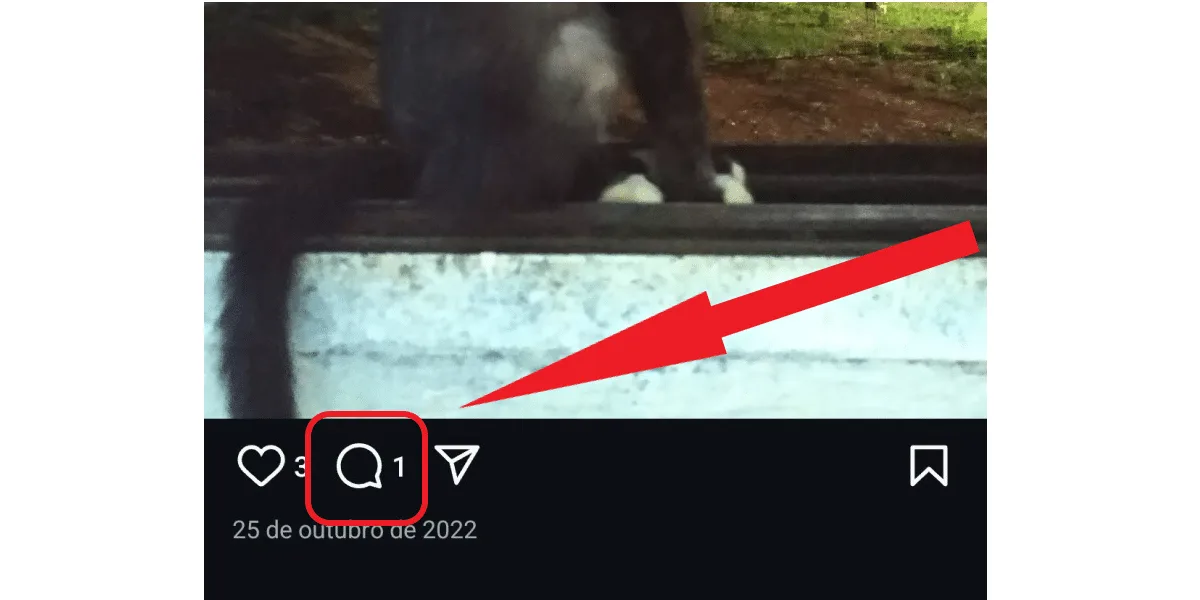
 Note that you can also block or restrict a person's comments if you wish. This can be very useful when dealing with a follower who frequently makes unpleasant comments. Learn more in this article: what restricting comments on Instagram means and how to do it .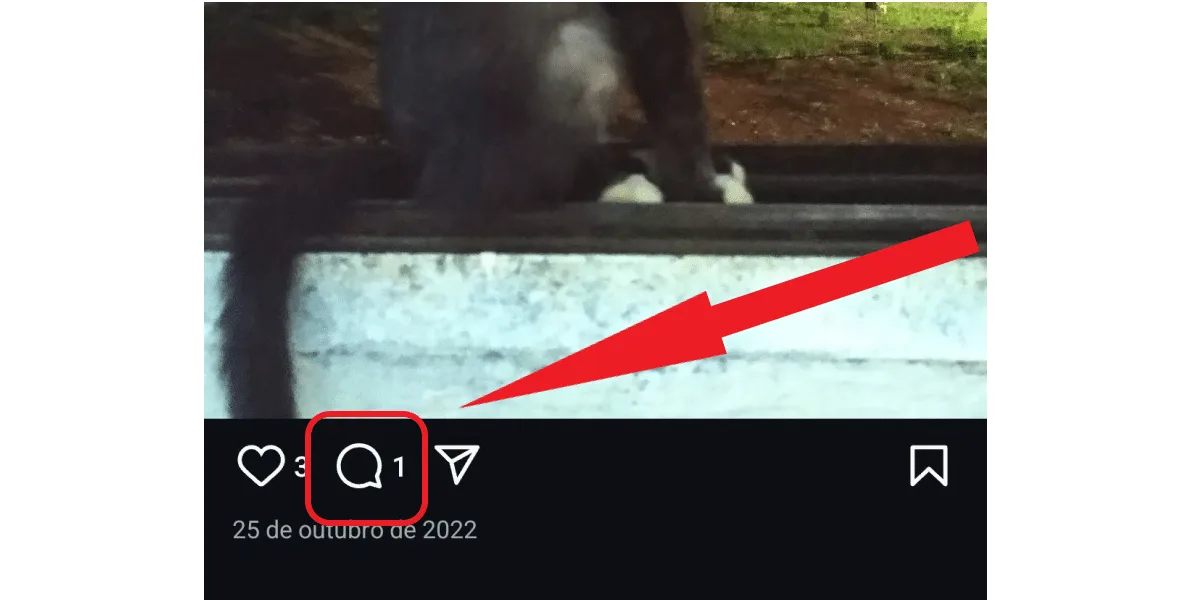
 Done! Your own comment has been deleted. Now you can easily do this whenever you regret a specific comment. Convenient, isn't it?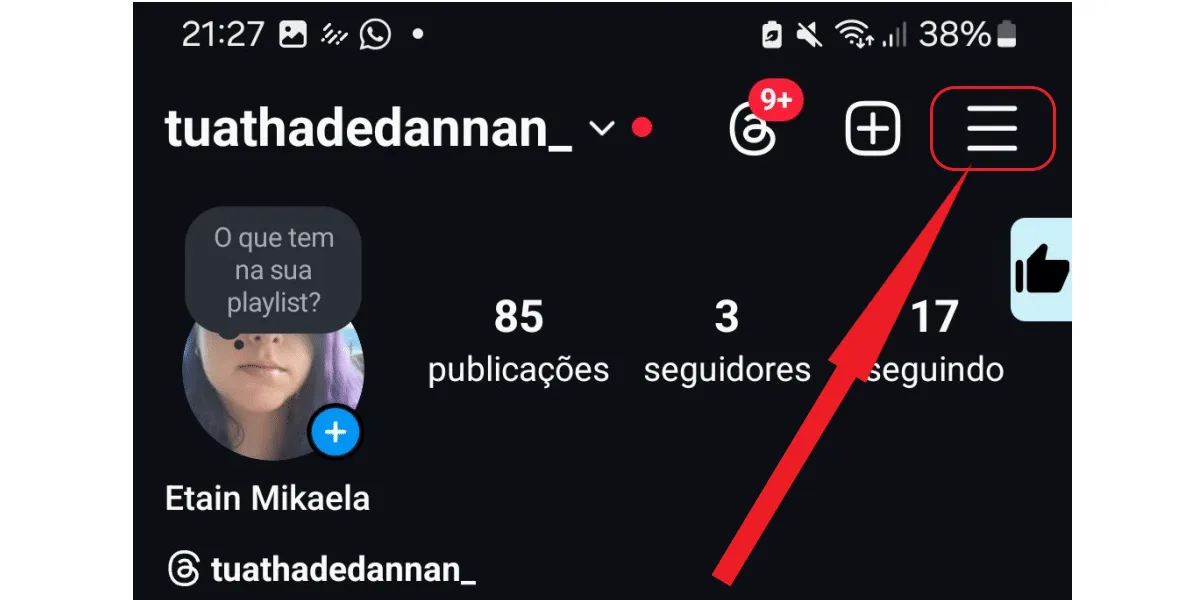
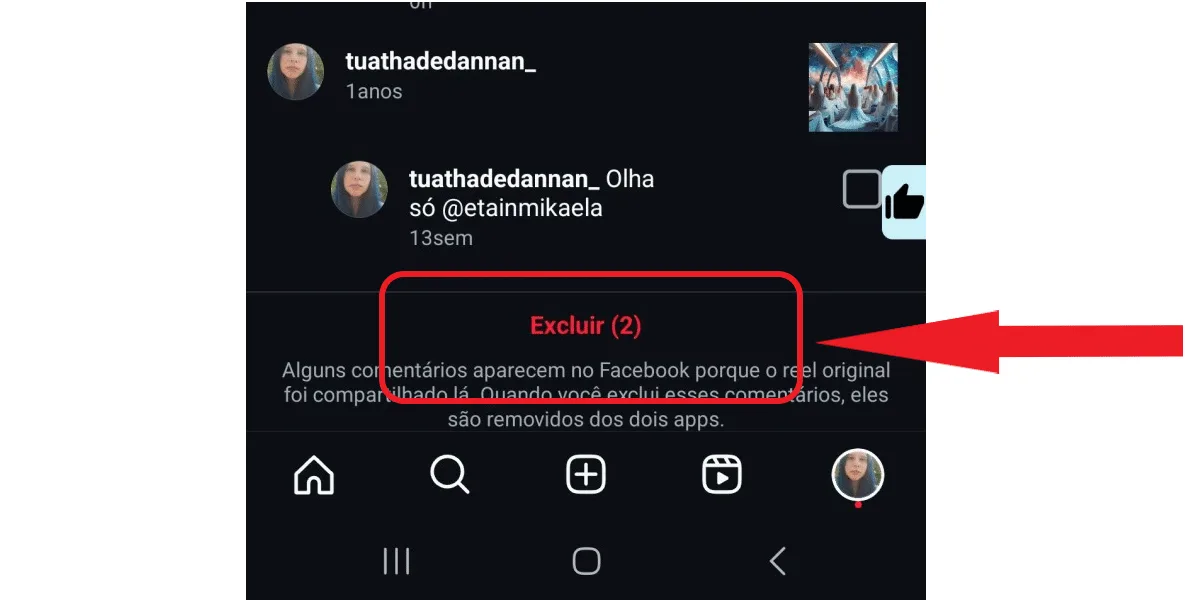
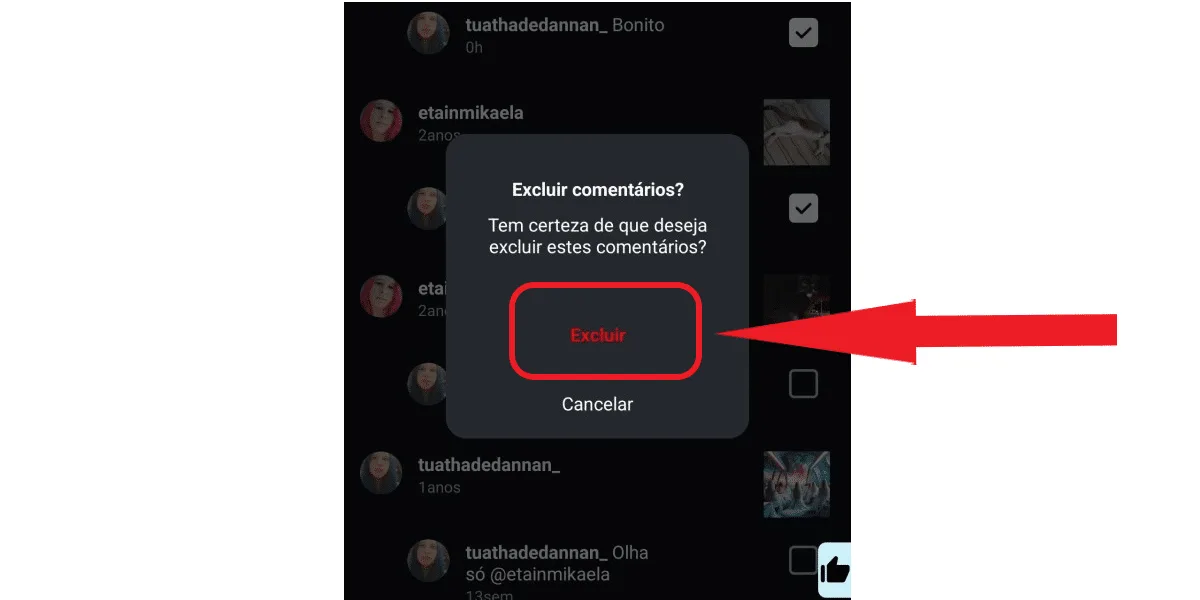 Done! Now you can always come back to this section of your profile to delete your comments, if needed. This way, you don't have to search for the original post on the commented profile if you don't want to.
How to delete a comment on Instagram for iPhone and Android.
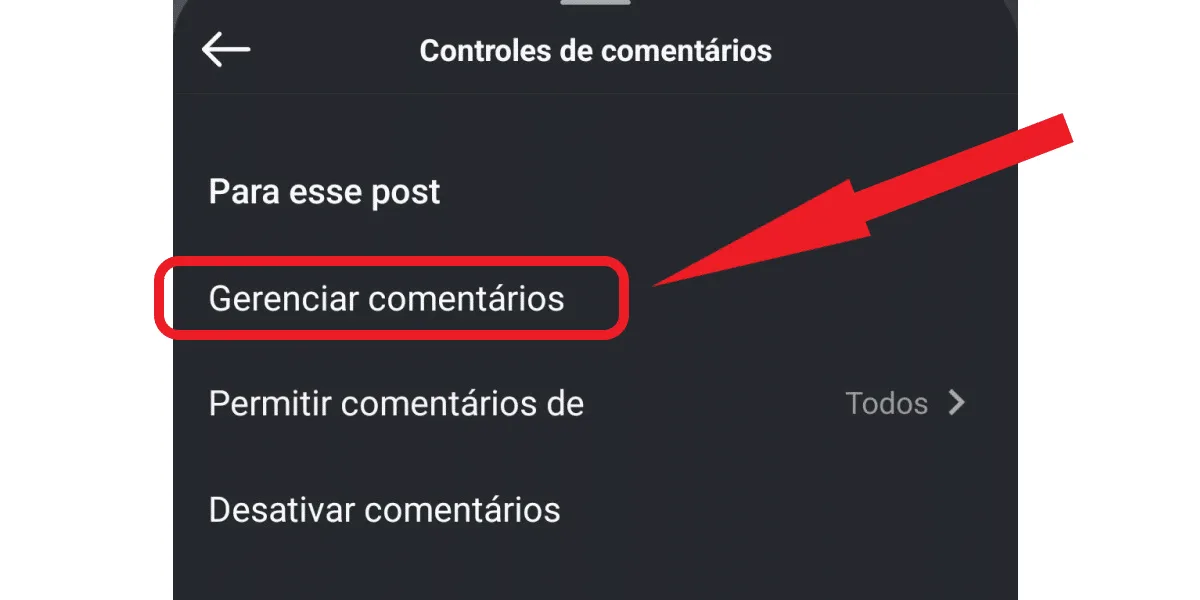
Learning how to delete comments on Instagram on iPhone and Android is quite simple , as the process is the same for both operating systems. And once you learn how to do it, you'll hardly forget, and you can easily delete comments whenever necessary. So, let's start with a simple step-by-step guide to deleting other people's comments. That is, those comments that, for whatever reason, you simply don't want to keep on your post. First, log into your Instagram account on your Android or iOS app, then:Find the publication and click on the speech bubble icon.
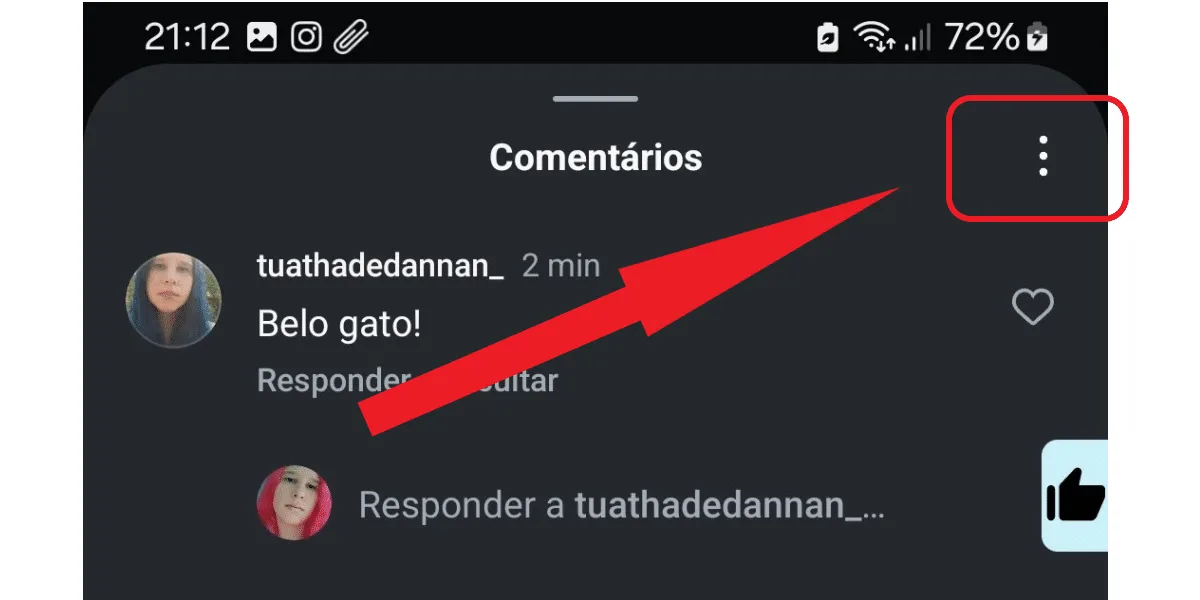
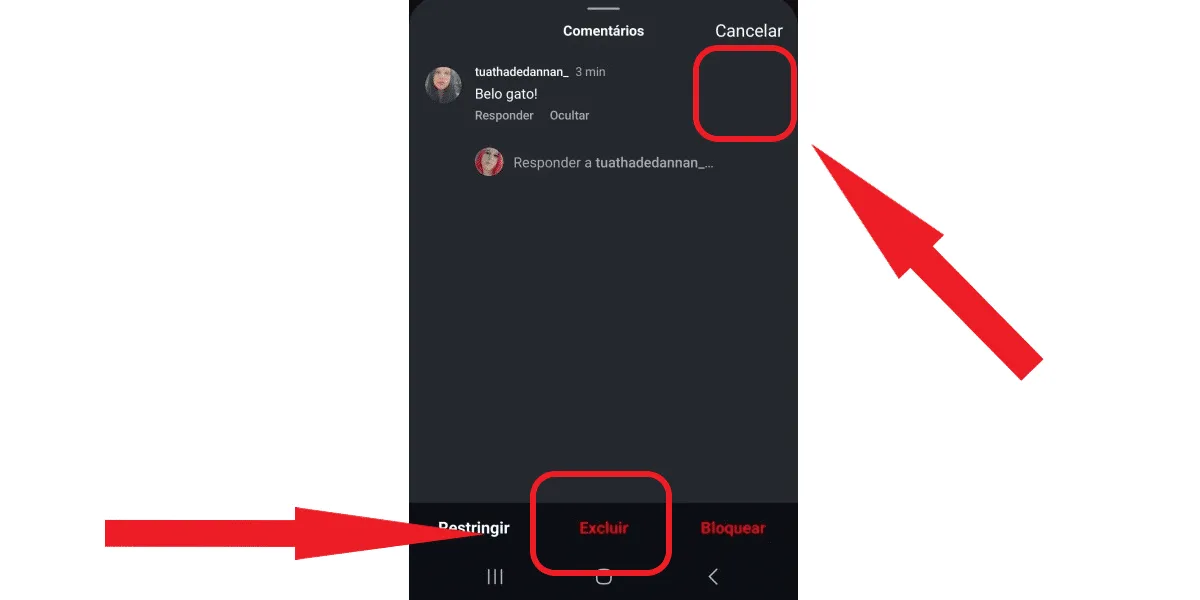
Tap the three-dot button in the upper right corner.
Next, click on manage comments.
Select the comment and tap delete.
Note that you can also block or restrict a person's comments if you wish. This can be very useful when dealing with a follower who frequently makes unpleasant comments. Learn more in this article: what restricting comments on Instagram means and how to do it .How to delete comments in bulk on Instagram
To learn how to delete multiple unwanted comments on your post at once, you can use the step-by-step instructions above on how to delete comments on Instagram. When selecting the comments to be deleted, select all the ones you want to delete at once. Then, simply click "delete" on the page below, and you're done! The unwanted comments will be deleted en masse from your profile.How to delete a comment on Instagram that you yourself made.
Now, if you commented on a post and regretted it, don't worry, all is not lost. In fact, if you're quick enough, you can even learn how to delete a comment you made on Instagram before more people see it. To begin, first access your Instagram account on your Android or iOS phone, then find the post where the comment was made (a quick way to do this is to go directly to the profile of the person who owns the post), then:Tap the speech bubble again to open the comments.
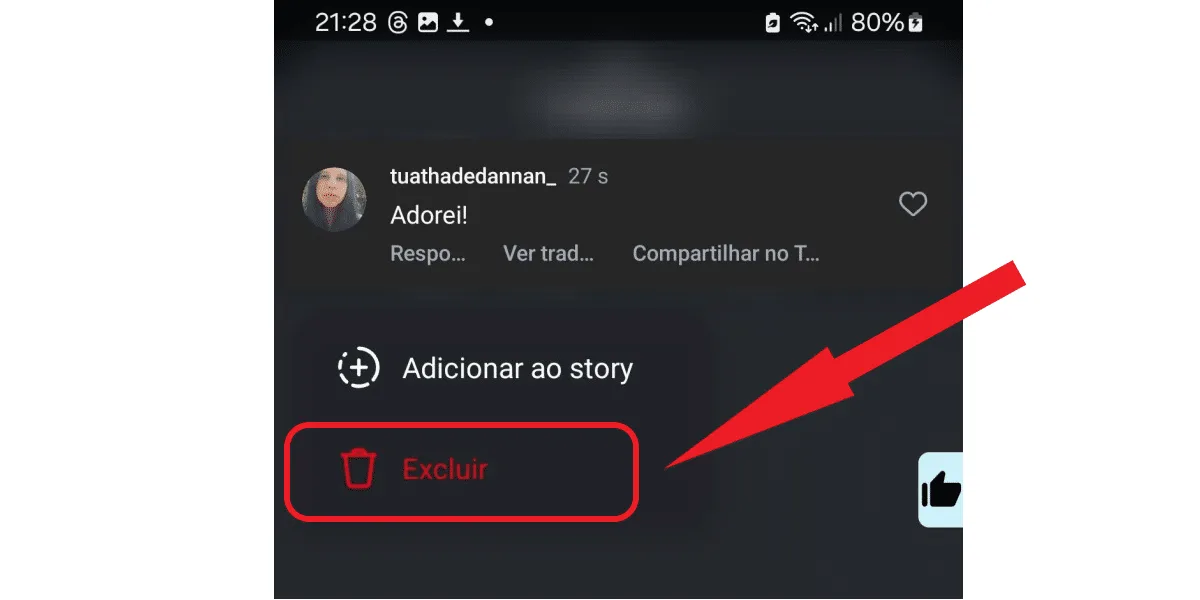
Find your comment, tap and hold, then click delete.
Done! Your own comment has been deleted. Now you can easily do this whenever you regret a specific comment. Convenient, isn't it?How to delete your comments in bulk on Instagram
Some users may want to delete more than one of their comments at a time on Instagram for various reasons. For example, they may want to delete all comments made on a specific profile. This is possible, and quite practical. So, if you want to delete your comments in bulk on Instagram, there's a way to do that too. Simply:Tap the three-line button on your profile.
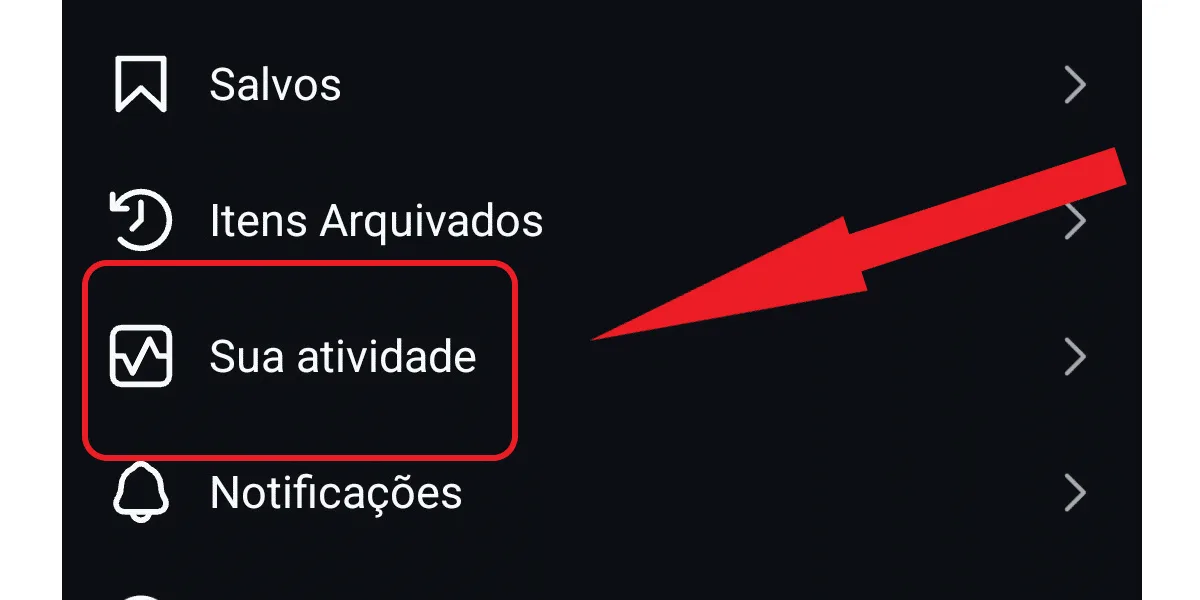
Click on your activity.
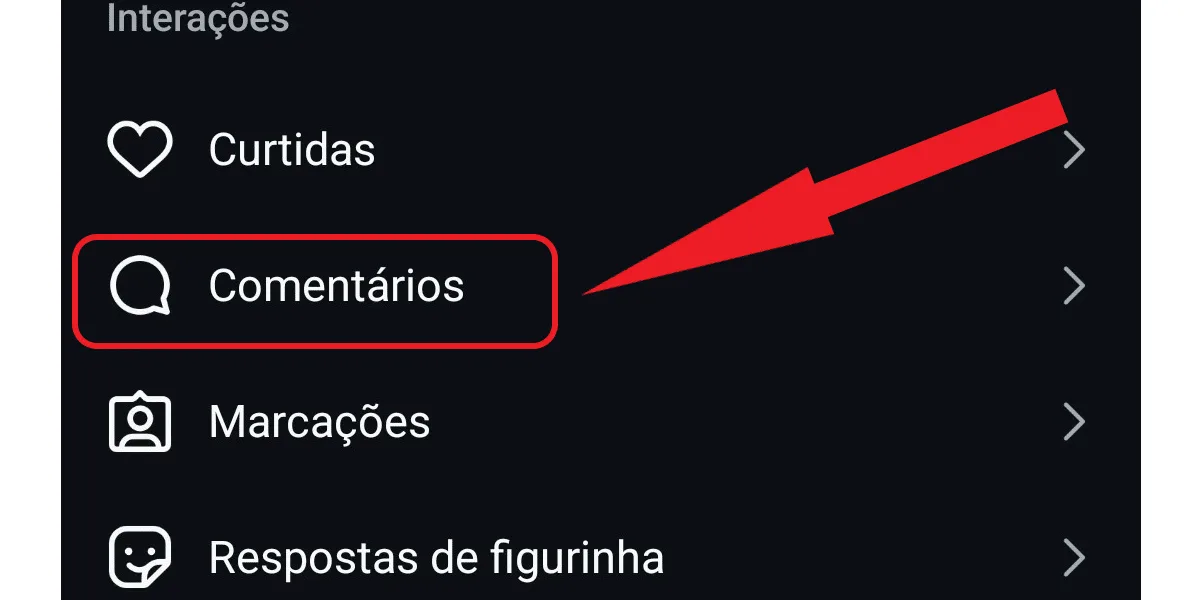
On the next screen, tap on comments.
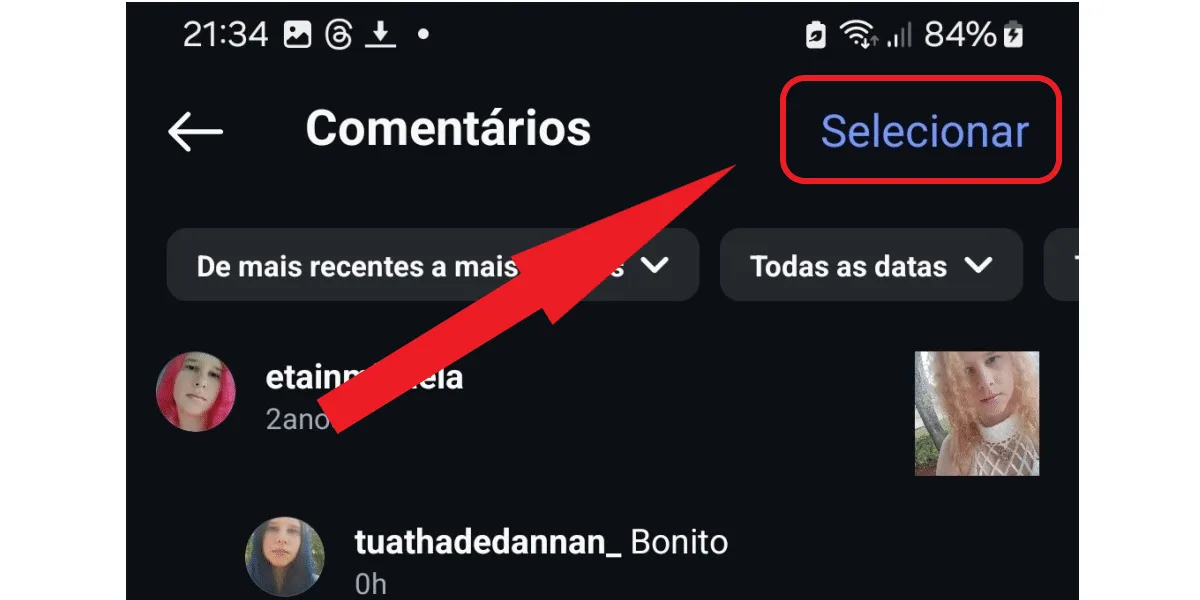
Now, click on select.
Select the comments and click delete.
Confirm the deletion by clicking delete again.
Done! Now you can always come back to this section of your profile to delete your comments, if needed. This way, you don't have to search for the original post on the commented profile if you don't want to.Does Instagram notify me when I delete a comment?
No, Instagram doesn't notify you when you delete comments! So, now that you know how to delete comments on Instagram, you don't need to worry about other people knowing what you're doing or being notified about it later. Of course, when you delete your own comment, the content creator may notice that your comment has disappeared from their post, but this will only happen if they go back to check the comments later. In some cases, when there are many comments on the post, the creator may even notice that some have been deleted because the total number decreases. However, they may not be able to identify which comments were deleted due to the volume. On the other hand, when it is the content creator who deletes unwanted comments, the user who commented will hardly know. This will only happen if they go back to the post to check if their comment is still there! Learn more about Instagram features in this post: step-by-step, how to post a photo on Instagram .When should I delete a comment on Instagram?
The question of when to delete a comment on Instagram is quite subjective and can occur in different scenarios. The most common is when a user makes a comment that the content creator considers offensive, so they delete it. This can also happen in the case of so-called "haters," who leave comments with hate speech, racism, violence, etc. However, it's important to clarify that a comment doesn't necessarily need to contain inappropriate or illegal content for the post owner or the person who commented to decide to delete it. It's enough for one of the parties to make that decision for their own reasons. For example, the person who commented might regret what they said or realize they misspelled something. Or the profile owner might simply not like what the person said. So, remember this when learning how to delete comments on Instagram: when someone decidesto post on Instagram, they risk having to delete unwanted comments on their post or having comments deleted by profile owners. This is part of the dynamics of social interactions on the platform.What do Instagram's guidelines say about comments?
When learning how to delete comments on Instagram, many users are unsure about what the platform's guidelines say regarding its comment policy . Well, when it comes to Instagram's policy, the social network prohibits any practices that could cause problems for the user experience on the platform. This includes:- Abusive comments;
- Offensive;
- Defamatory.
- Prejudiced, humiliating, or racist;
- Comments that spread hate;
- Comments containing nudity or violence.
What happens if I report a comment that isn't offensive?
If you report a comment that isn't offensive, nothing will happen to you or the person who made the comment. It's important to know that even deleted comments and DMs on Instagram can still be accessed by the Instagram team to verify violations and reports. However, if the report is unfounded, the Instagram team will simply archive or ignore your report. This will not result in any kind of punishment for either party involved. In any case, learning how to delete comments on Instagram is useful in this situation, because even if a comment doesn't violate community policies, you can still delete it from your profile.How many comments can I delete at once?
You've already learned how to delete Instagram comments in bulk. It's quite simple. However, the platform limits bulk deletion to 25 comments at a time. This means that if you want to delete a larger number of comments at once, you need to do it in groups of 25. Another important point is that Instagram's algorithm can interpret repetitive actions many times in a short period as spam or suspicious activity. Therefore, if you delete many comments at once quickly, your account may be seen as suspicious by the platform and even suffer some kind of penalty. So, if you want to delete a large volume of comments, divide your action into more than one session, and avoid deleting more than 500 comments per day. This is because that is the maximum number of interactions allowed by Instagram for different actions on the social network, such as liking, disliking, commenting, and deleting comments. How about downloading Instagram statuses for free? Check out our Instagram download tools !I can't delete a comment on Instagram.
If after learning how to delete a comment on Instagram you are unable to perform this action, stay calm. The first step to try to solve the problem is to identify the reason for the problem, which may include:- Your account is restricted by Instagram, so you cannot perform this action.
- You are trying to delete a comment from a post that is not yours.
- You are trying to delete a comment on a post where you are a contributor, but only the post owner can do that;
- Instagram is experiencing a temporary outage;
- The Instagram app is either malfunctioning or outdated (see how to update Instagram in that case).