Instagram
  by
by 
 10 min read

So, how do you repost on Instagram? Instagram is one of the most popular social media platforms in Brazil and the world. Thousands of people regularly publish content there, building memories and investing in the growth of their profiles. After all, creating content regularly and interacting with followers is essential to stand out. Many even invest heavily in growing the reach of their accounts, for example, by buying Brazilian Instagram followers . Therefore, all planned and posted content has value, which leads to the need many users feel to repost some things over time, whether in the feed, stories, or Instagram reels. But how do you repost on Instagram? You'll see throughout this article that reposting is a very simple task. So, take advantage of our step-by-step guide with images and learn!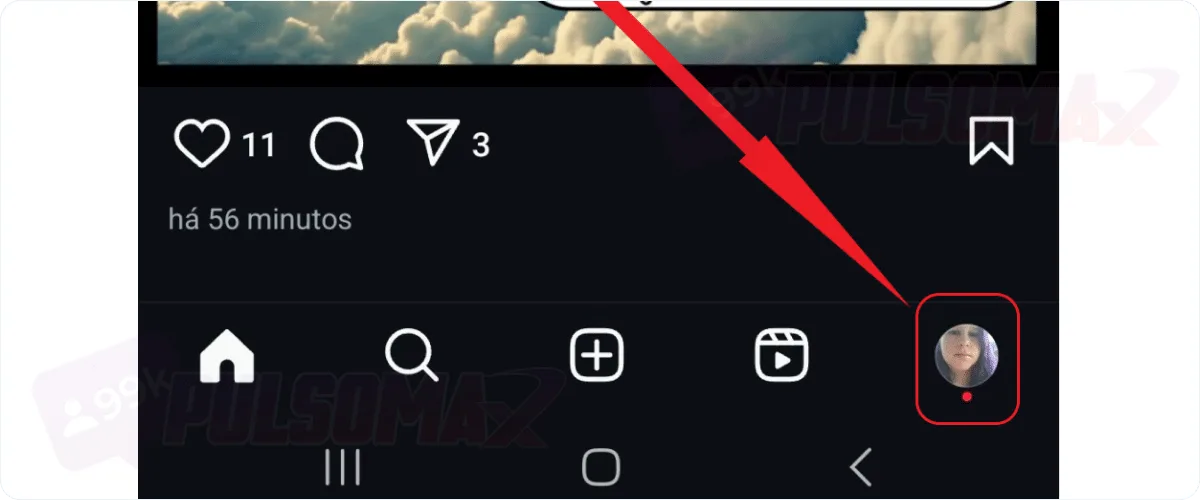
 Done! You've just learned how to repost on Instagram in the simplest way, and you can repost any content from yourInstagram feed . And you can do this whenever you want. Important: to find out how to repost content from other profiles on Instagram, you just need to click the arrow button below the photo, exactly as in the step-by-step instructions above, and select the option to add to Story, then share the post normally.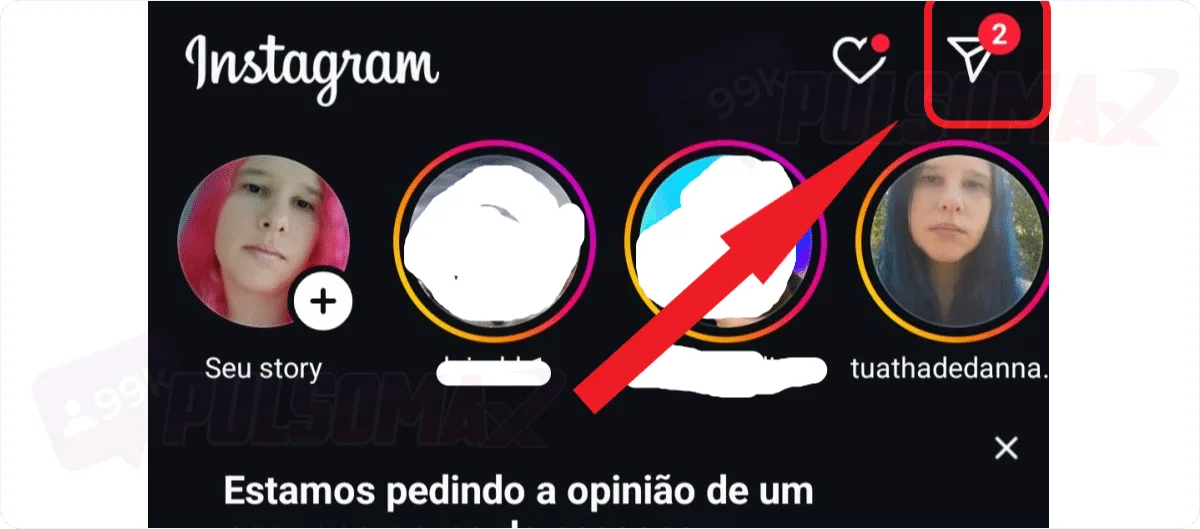
 Done! Now, for this repost to be possible, the person needs to have tagged you in their Instagram story. Whenever this happens, you will receive a message in your Instagram DM, and you can easily repost the content to your Story that way.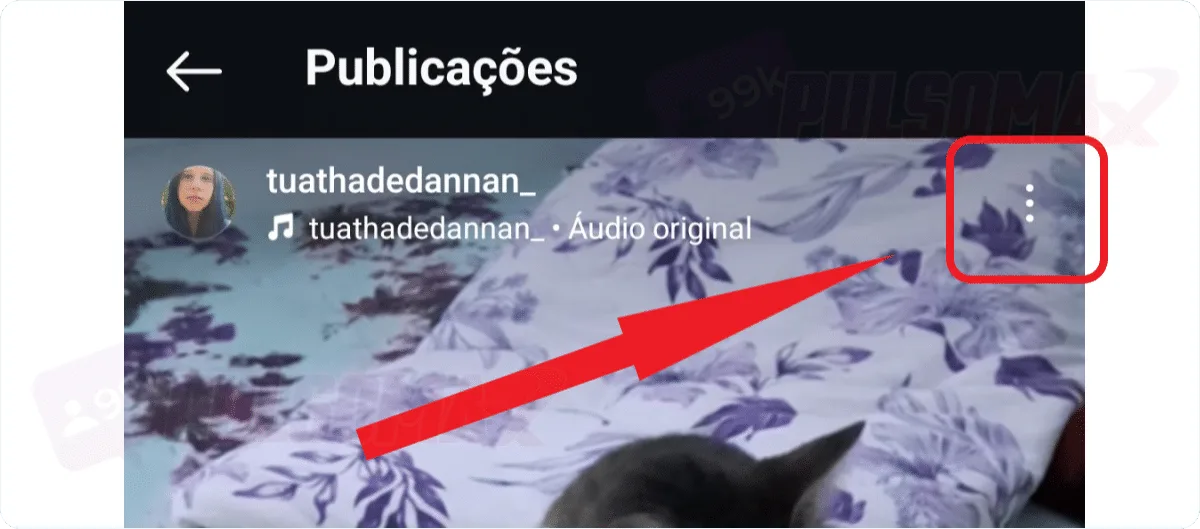
 Done! You now know how to repost videos from Reels on Instagram. Now, just edit your video as you prefer, if you want, and finish by clicking share to repost the Reels video to your Instagram story. To repost Reels videos that are not your own, simply:
How to repost a photo on Instagram step by step.
Reposting is a term that means sharing content that has already been published on Instagram again. The best way to do this is to find the original post on your own profile, avoiding taking content from other profiles. After all, reposting third-party content without authorization or partnership requires caution. For example, you should make it clear that the content is not yours. However, depending on the situation, this type of reposting may not be recommended. That said, here's how simple reposting on Instagram is. First, open your Instagram app and find the post you want to repost. To do this:Tap your profile picture icon in the bottom left corner of the screen.
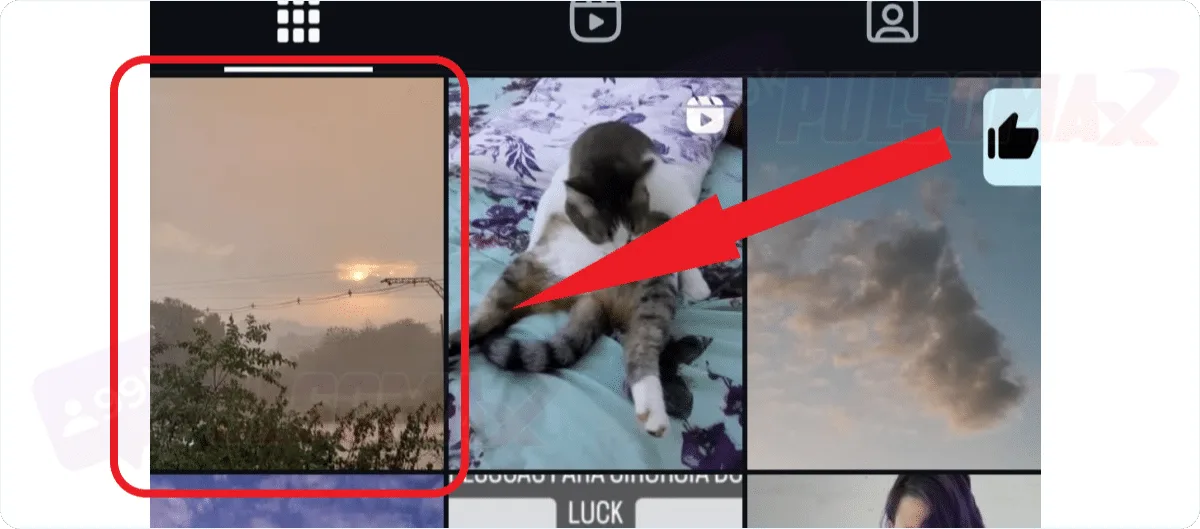
Now, click on the post you want to repost.
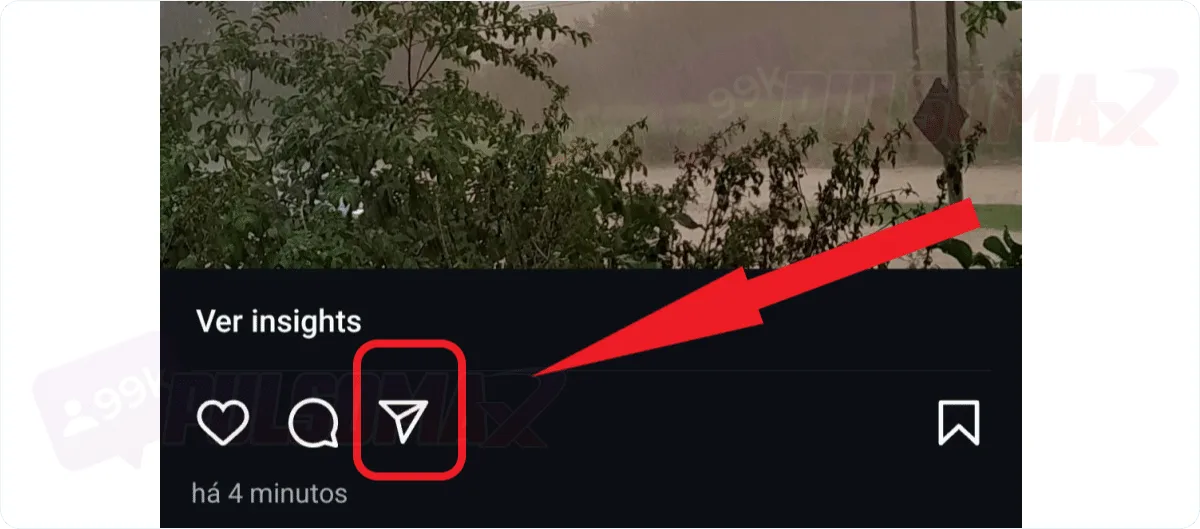
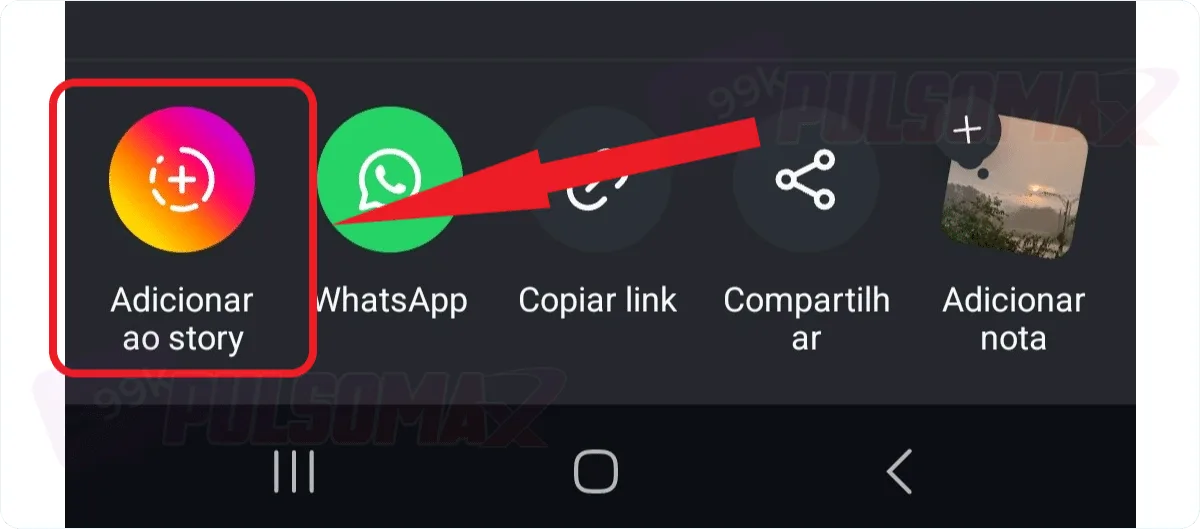
Tap the arrow-shaped button at the bottom.
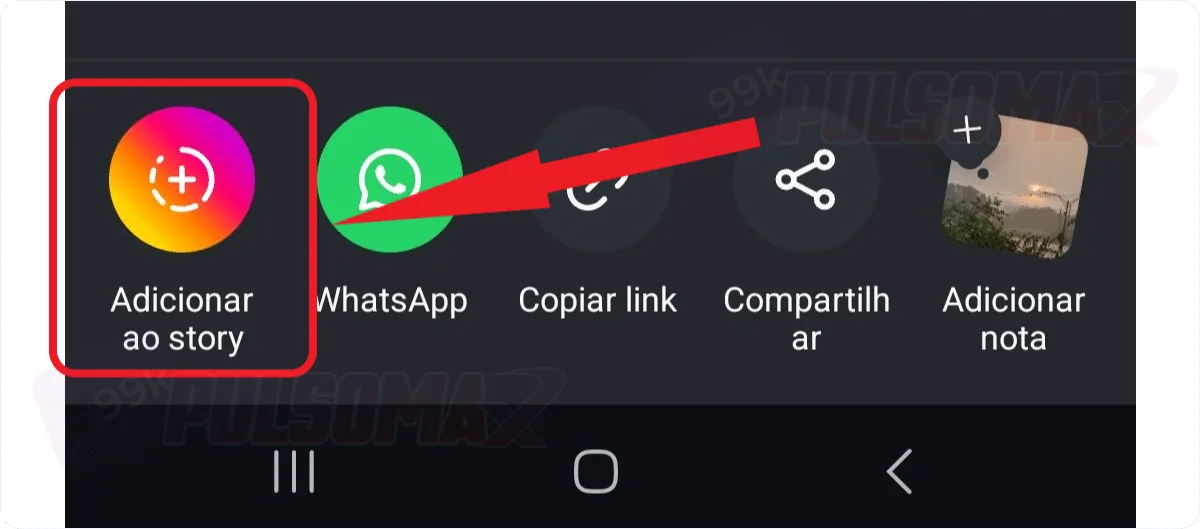
Select the option to add to story.
Configure your post in Stories, and click share to publish.
Done! You've just learned how to repost on Instagram in the simplest way, and you can repost any content from yourInstagram feed . And you can do this whenever you want. Important: to find out how to repost content from other profiles on Instagram, you just need to click the arrow button below the photo, exactly as in the step-by-step instructions above, and select the option to add to Story, then share the post normally.How to repost stories on Instagram?
Learning how to repost stories on Instagram only requires a few steps. To begin, open your Instagram app on your Android or iOS device. Then:Access Instagram Direct by tapping the speech bubble or airplane icon.
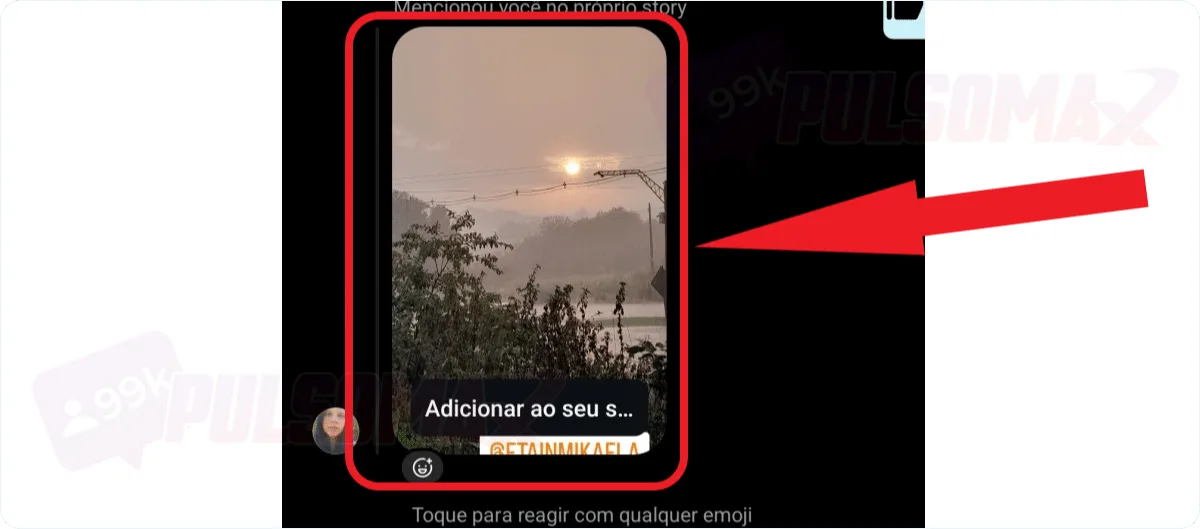
Look for the message mentioning it in the chat conversation with your contact.
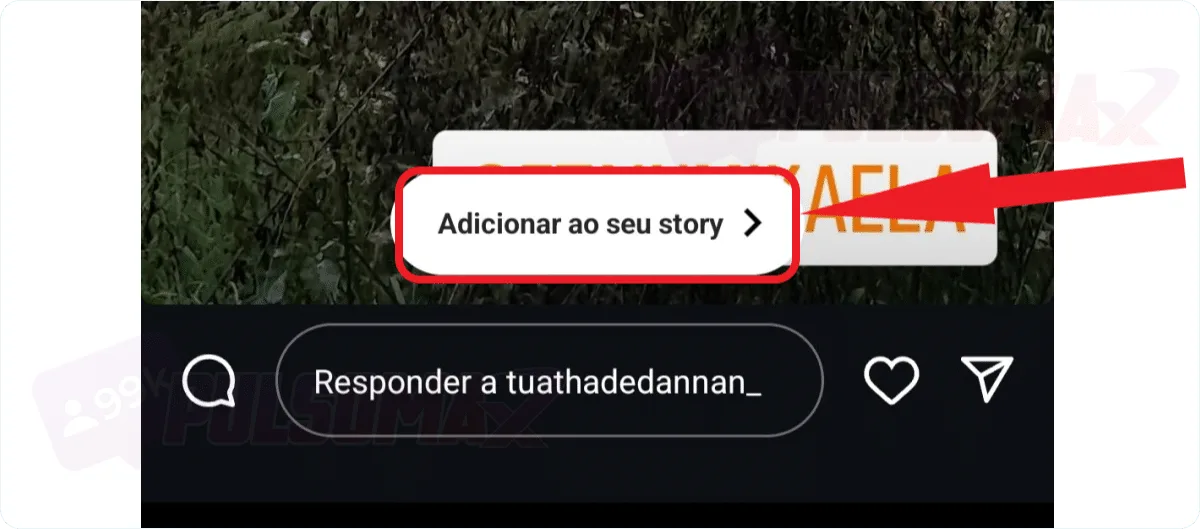
Click on the message and tap "add to your story".
Done! Now, for this repost to be possible, the person needs to have tagged you in their Instagram story. Whenever this happens, you will receive a message in your Instagram DM, and you can easily repost the content to your Story that way.How do I repost Instagram stories that I wasn't tagged in?
Instagram doesn't have a native tool that allows you to repost stories where you weren't tagged. Therefore, figuring out how to repost on Instagram in this case requires using an external tool. One of the best tools for this function is the Repost for IG app, which is available for Android and iOS . Simply download the app, open it, and allow the tool to paste your Instagram posts by clicking the confirmation message when it appears. Then, you'll be directed to a screen with your Instagram posts and can choose which one you want to repost. It's quite simple. You can customize the post, but you can't remove the original creator's name. To ensure proper credit is given to the original creator, the app adds a tag with the username. It's not possible to remove this tag, only change its color and position. Other apps for this function include: Some of these apps may require you to log in with your Instagram credentials to function. Generally, they are safe. However, it's recommended to thoroughly research the app's reputation before entering your information and learning how to repost on Instagram using one of these apps. Similarly, since these are third-party apps, you should use them sparingly. If your activity is detected by Instagram's algorithm , it may be considered suspicious activity, as the use of third-party apps is not recommended by the social network. If Instagram determines that you have violated community guidelines with this use, you may face sanctions from the platform, such as blocked functions on your account or even blocked access to your profile.How to repost videos from Reels on Instagram
Reposting Reels videos can be a good strategy to increase engagement on Instagram . This way, you can repost videos that were successful, or older content that makes sense within your current Instagram strategy. And, similar to posting photos to your feed, learning how to repost Reels videos on Instagram is quite simple. To begin, find the Reels video you want to repost on your profile page. Then:Click the three-dot button in the upper left corner of the screen.
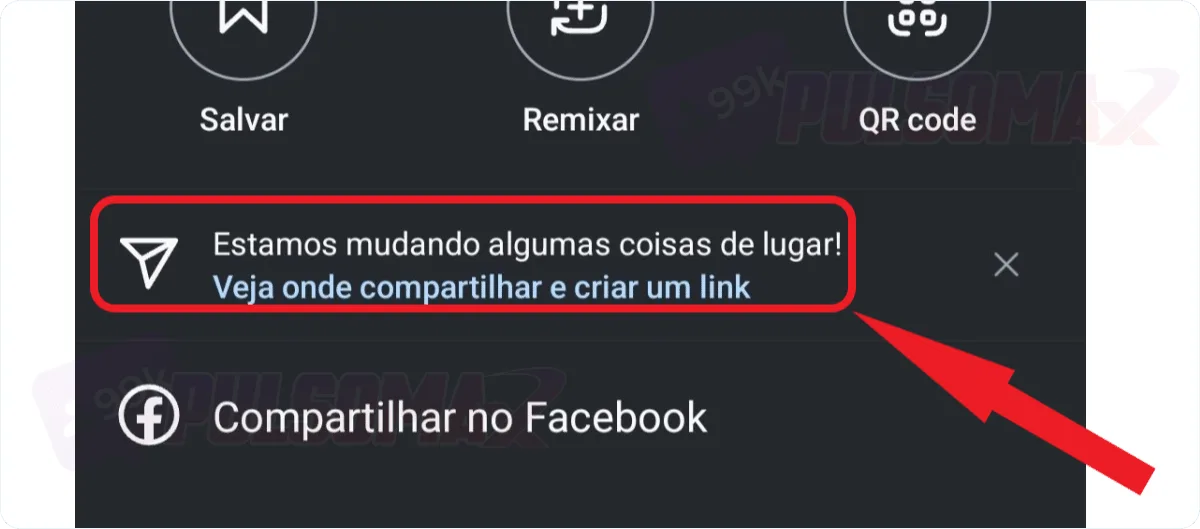
Then, tap the arrow button.
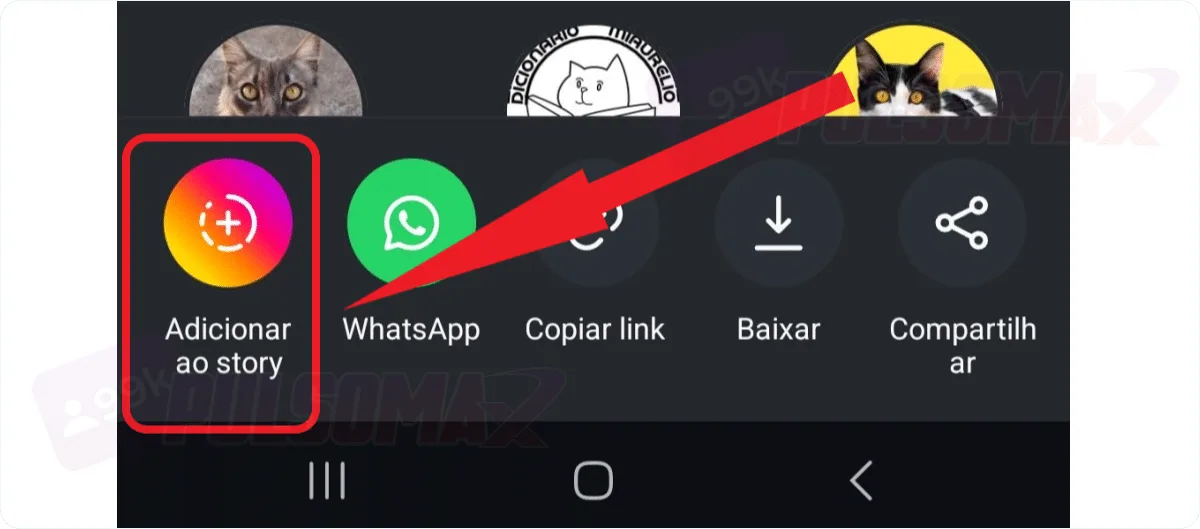
Find the "add to story" option and click on it.
Done! You now know how to repost videos from Reels on Instagram. Now, just edit your video as you prefer, if you want, and finish by clicking share to repost the Reels video to your Instagram story. To repost Reels videos that are not your own, simply:- Click the arrow button in the bottom right corner of the video.
- Select the option to add to story and publish as usual.