Tiktok
  by
by 
 9 min read
In today's article, you'll discover how to block users on TikTok step-by-step, putting an end to those annoying users on the short-video social network. TikTok, like Instagram, is one of the most successful social networks in Brazil and worldwide. Focused exclusively on creating video content, many users have taken their accounts on the app seriously, even learning the best times to post on TikTok and grow their profiles in terms of followers. But even for those who aren't interested in monetizing their accounts and use the network only to have fun watching videos, there's a common problem: unpleasant users who can be annoying, disrespectful, or even "haters," causing an unpleasant experience for other users. The good news is that it's possible to learn how to block users on TikTok! Keep reading and see how!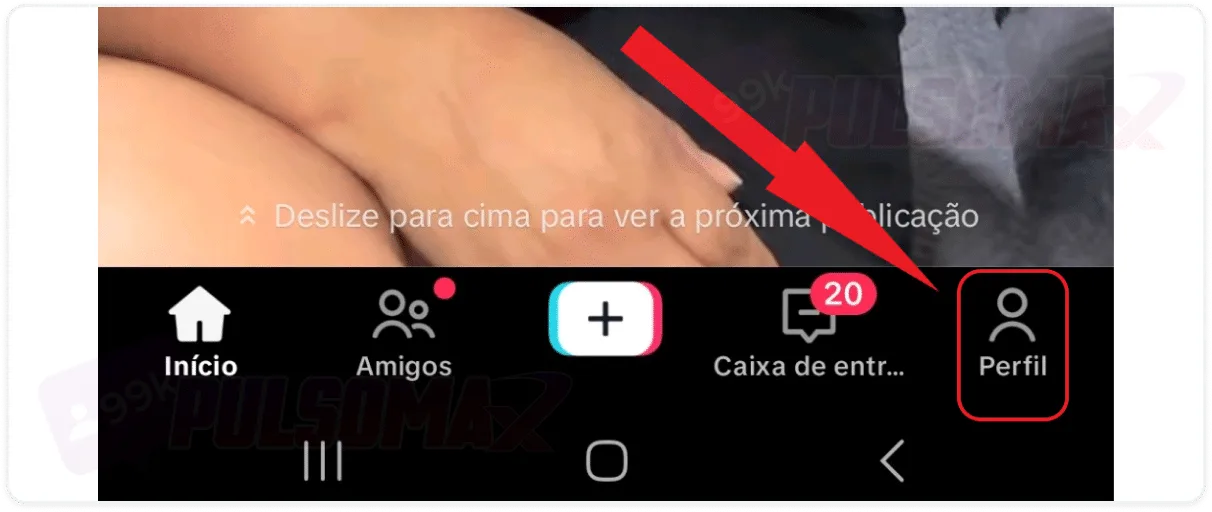
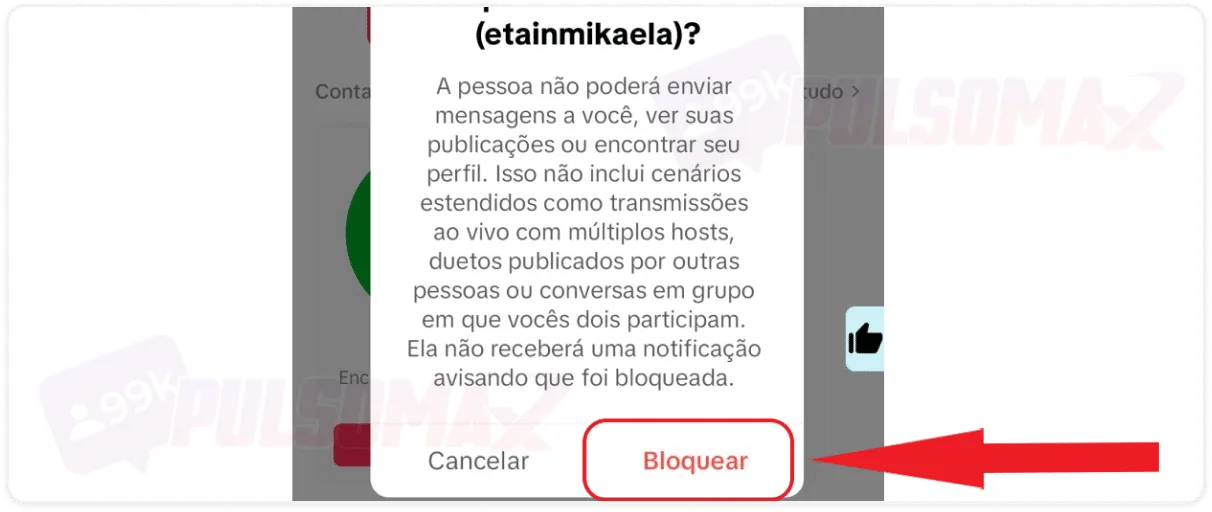 Done! You've learned how to block users on TikTok! And now, you can simply remove from your sight all the users who are really bothering you on the short video platform.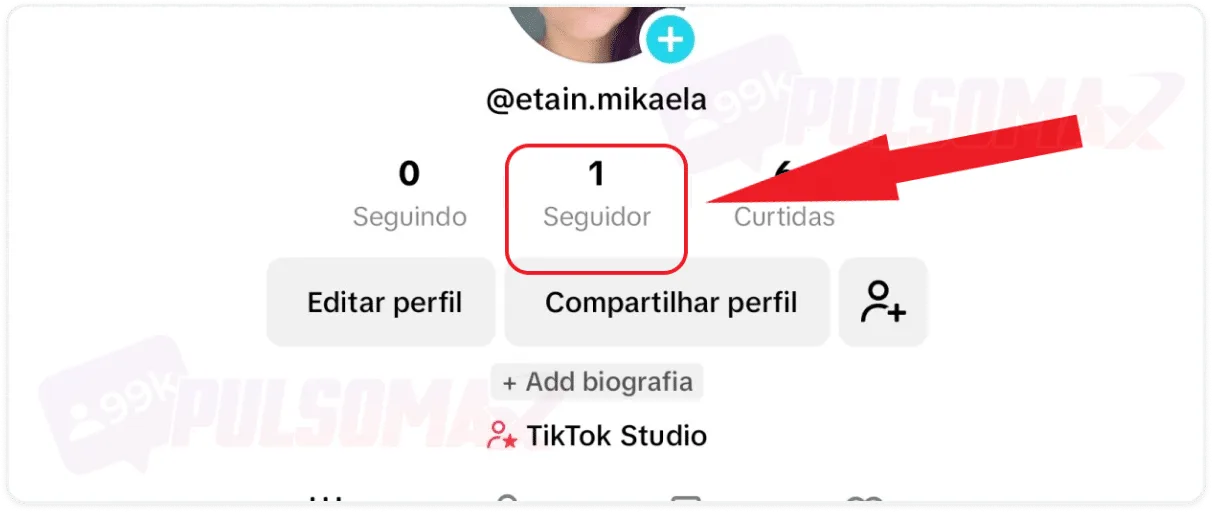
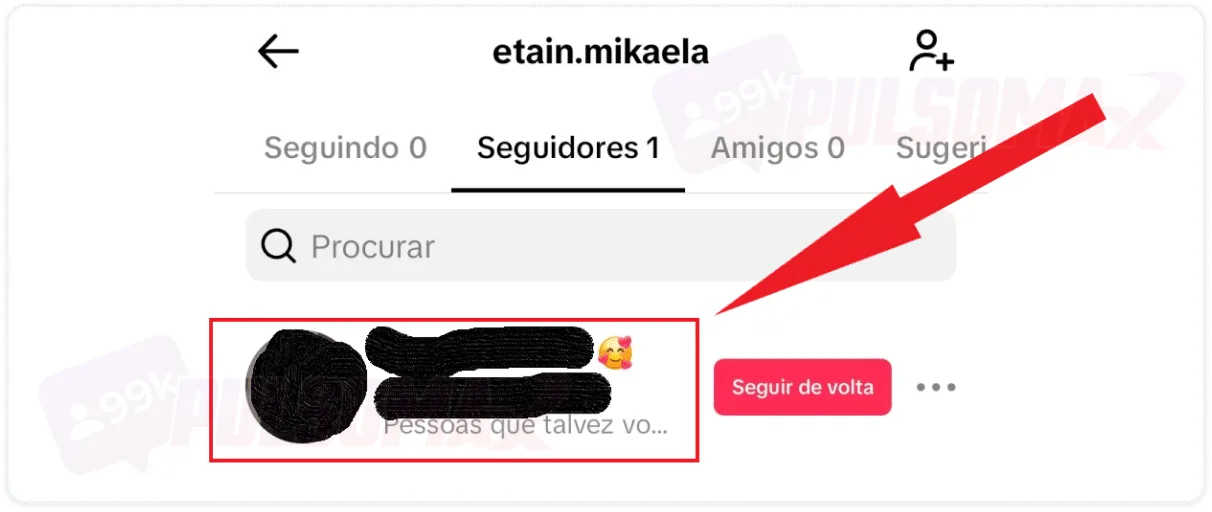 Now, simply tap the arrow in the upper corner, just like in the previous step, select the block option, and confirm your decision. And if you want, you can unblock these contacts, just like you can unblock a person on Instagram .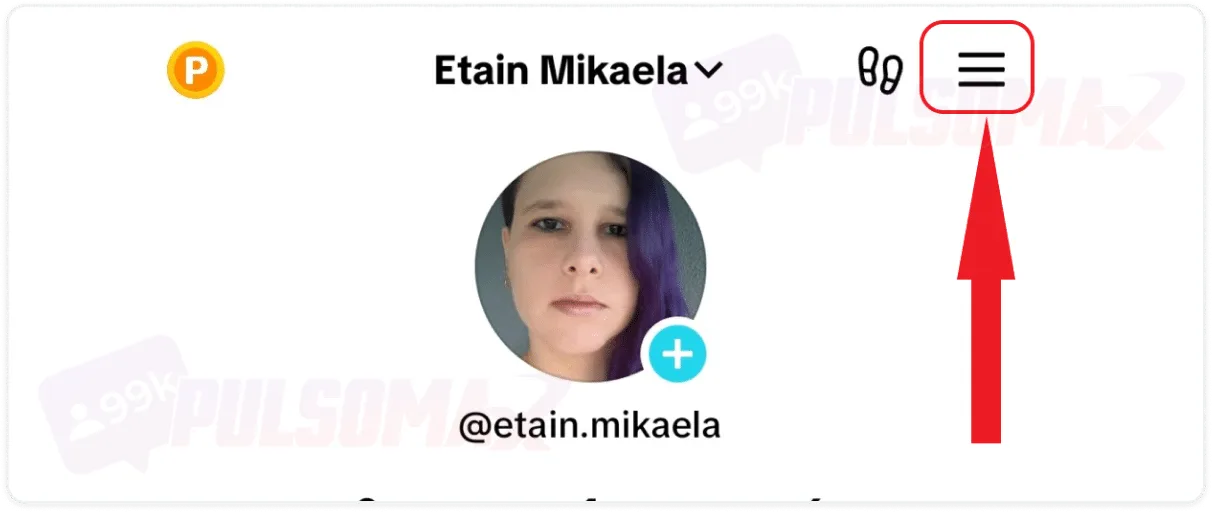
 Done! All the people you've blocked will appear in a list in this section, allowing you to easily manage your block list. If you want to unblock someone, just click "unblock" next to their profile name and you're done.
How do I block someone on TikTok who doesn't follow me?
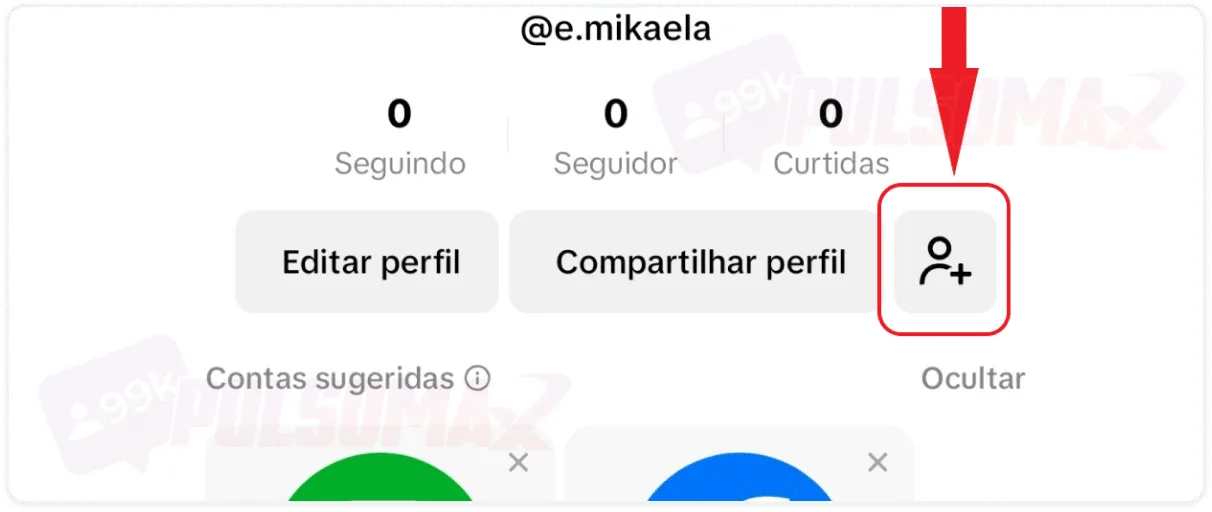
If you're bothered by someone and don't know how to block them on TikTok, you'll be surprised at how easily the platform has implemented this feature. In just a few steps, you can find the profile of the user bothering you and block their account, making their content disappear from TikTok for you. To begin, go to your TikTok profile on your Android or iOS app, then:Tap on profile, at the bottom of the screen.
Tap the person-shaped button with the + icon.
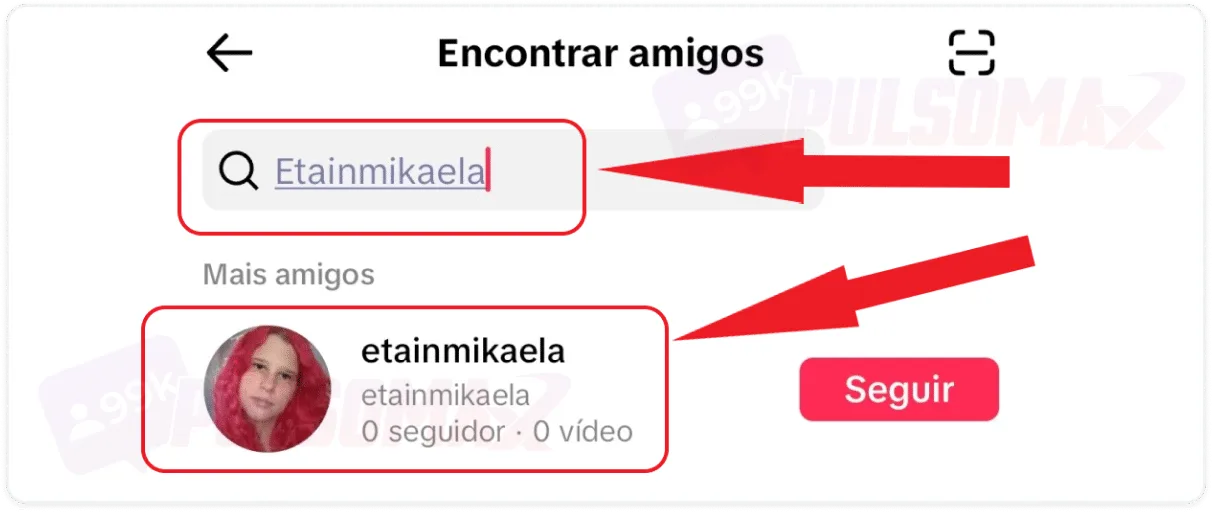
Type the username you want to block and click on their profile.
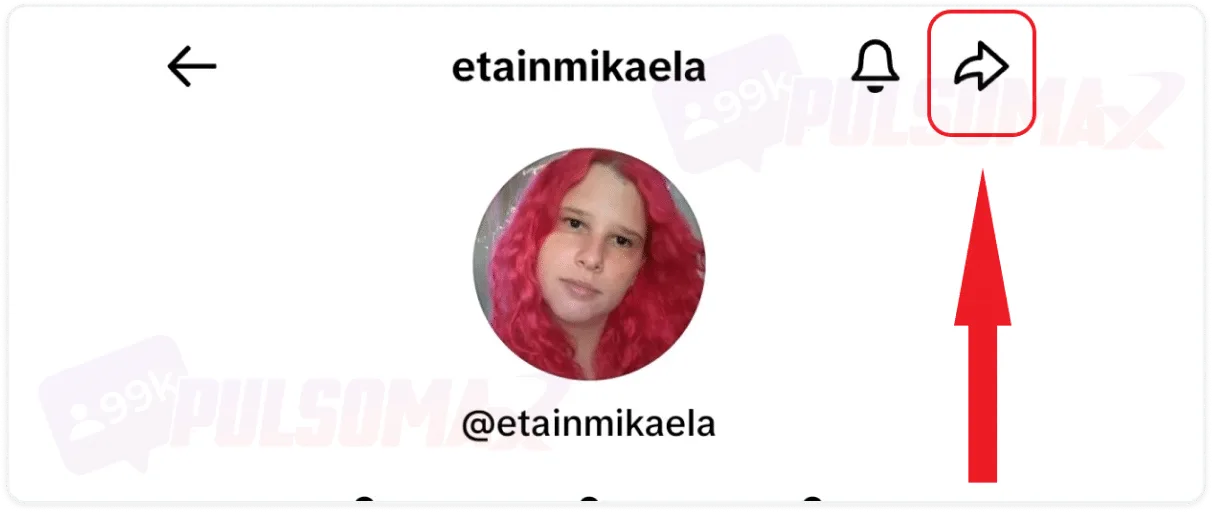
Tap the arrow-shaped button in the upper right corner.
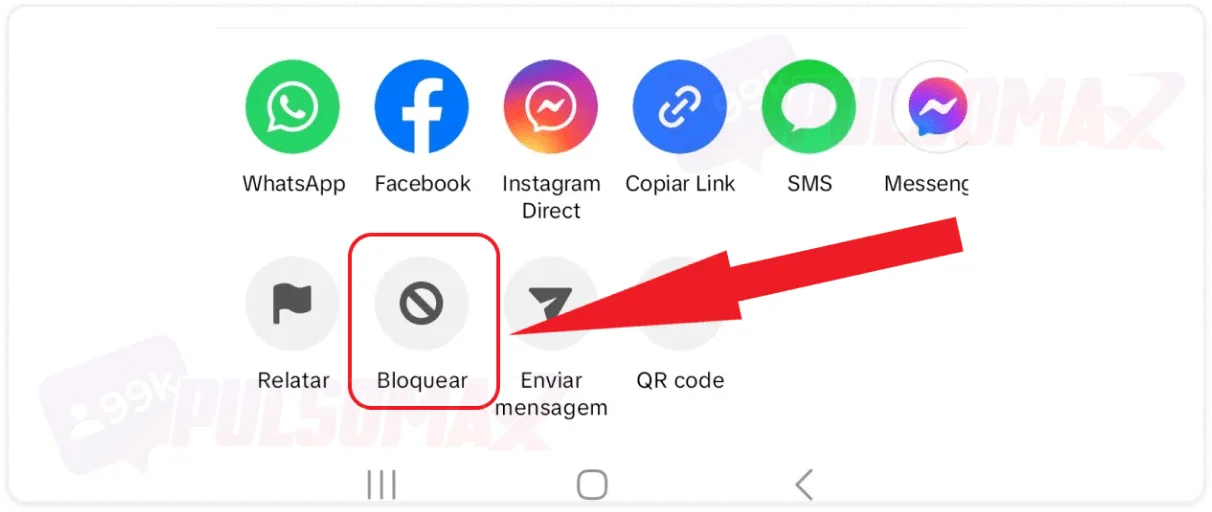
Below, in the options, click on block.
Tap "lock" again to confirm.
Done! You've learned how to block users on TikTok! And now, you can simply remove from your sight all the users who are really bothering you on the short video platform.How do I block someone on TikTok who follows me?
Blocking someone who follows you on TikTok can be annoying, but necessary in some cases. Of course, if you want to grow on the social network, and even invest inbuying TikTok followers , blocking profiles that follow you is an action you may not want to take. After all, gaining followers takes time, or costs money, right? However, sometimes there is no other way to solve it. So, if a follower is bothering you a lot, know that it's very simple to learn how to block someone who follows you on TikTok. To begin, go to TikTok, access your profile as you learned in the previous topic, and:Tap on followers.
I clicked on the profile you want to block.
Now, simply tap the arrow in the upper corner, just like in the previous step, select the block option, and confirm your decision. And if you want, you can unblock these contacts, just like you can unblock a person on Instagram .How do I see the list of blocked users on TikTok?
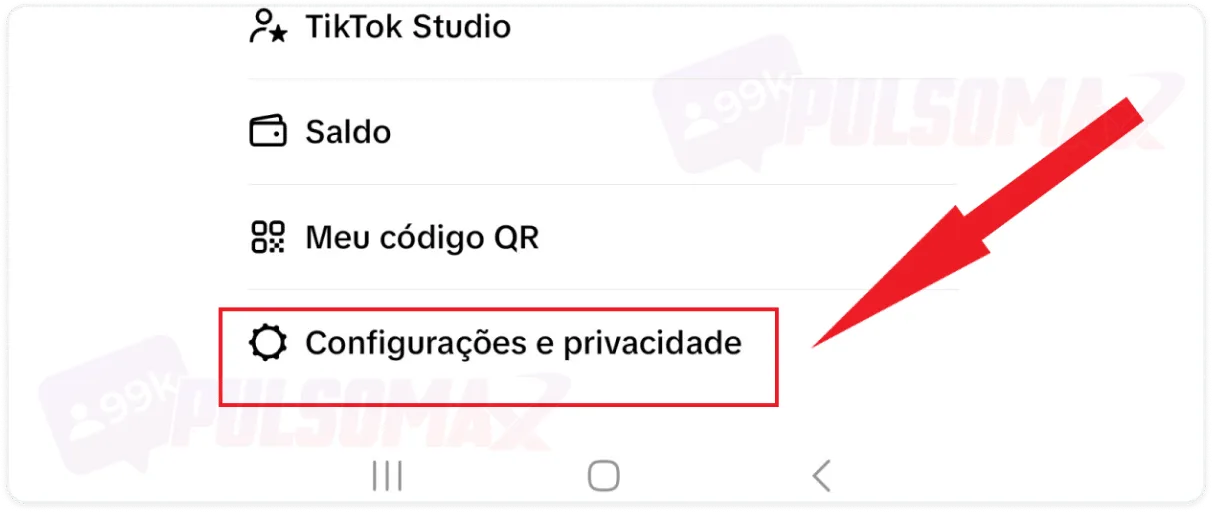
Anyone who has already learned how to block on TikTok and has blocked several annoying users who were bothering them may be wondering if there is somewhere on the social network where it is possible to see all these blocked accounts . And the answer is yes! Just go to your TikTok app and follow these steps.Tap the three-line button in the upper corner.
Click on settings and privacy.
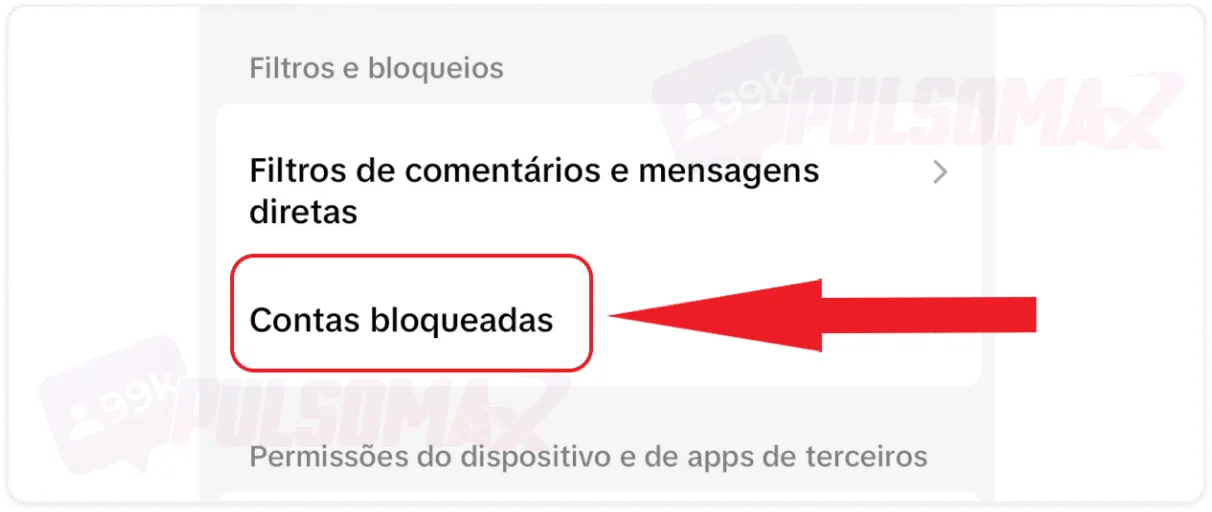
Scroll down until you find the "blocked accounts" option and tap on it.
Done! All the people you've blocked will appear in a list in this section, allowing you to easily manage your block list. If you want to unblock someone, just click "unblock" next to their profile name and you're done.What happens when I block someone on TikTok?
When you learn how to block someone on TikTok and do it, your action has significant consequences for both you and the person you blocked. Any interaction between you becomes impossible. The person you blocked won't be able to see your follower list, view your content, or find your profile on the platform. Direct interaction, such as sending messages, commenting, or liking posts, is also prohibited. Furthermore, if the blocked user is a follower of yours, they will be automatically removed from your follower list. Do you have an Instagram profile and want to grow your account there too? See how to buy real followers and increase your audience on Instagram!Does the person know they've been blocked on TikTok?
No, because the social network doesn't inform any user about their accounts being blocked by other people. In other words, now that you've learned how to block someone on TikTok, you can do so without fear of the blocked person being notified of your action. But be aware: this doesn't mean the person will never find out . For example, they might notice your absence from their follower list, try to find your profile and not be able to, or even try to send a message and not be able to. Of course, none of these actions confirms with 100% certainty that they have been blocked; however, the combination of evidence may lead the person to reach that conclusion over time. Do you also use Instagram and think you've been blocked there? Take the opportunity to read: how to know if I've been blocked on Instagram .If I unblock the person, will they know?
No, the person won't know you unblocked them immediately. Some people learn how to block on TikTok and regret it, deciding to remove the block. In that case, the user can interact normally with your profile again, but won't receive any notification from TikTok about being unblocked. That's why the person won't know you unblocked them. The only way this can happen is when the user knows they were blocked and notices that the profile that blocked them has become visible on TikTok again, along with its content. Then, they'll reach the obvious conclusion that they were unblocked.Can the blocked user still find me on the recommendations page and in search results?
No, from the moment you learn how to block someone on TikTok and do it, that person will not be able to find your profile or any of your content anywhere on TikTok. Even if they search using your username or keywords related to the content you post, no results from your profile will be shown to them, nor will your profile itself.Can I unlock an account that I reported?
Yes, you can. But it's good to think very carefully about the matter before making that decision. After all, if you reported an account on TikTok, you must have had a good reason for it, right? Therefore, in addition to learning how to block on TikTok, it's useful to know that it's possible to report accounts that violate community guidelines. For example, accounts that impersonate other people, that post sensitive content, or adult content. And when you report these users, they will go through a verification process by the platform and may suffer penalties depending on the severity of the situation. However, most penalties are not permanent, meaning they don't ban the user from TikTok. A very serious infraction is required for that. Another point is that sometimes the reported content is not considered a violation of community guidelines, and the person doesn't even suffer restrictions. In either case, if you unblock that user, know that you can start seeing their content again in your feed.I don't want to have to block someone on TikTok, what should I do?
After learning how to block comments on TikTok and discovering what happens next, you might conclude that this action is too drastic for some people. If that's the case, and the problem bothering you is in the comments on your content, try using comment management. With this mode, you can apply filters to the comments on your posts, blocking comments that contain:- Swear words, whether offensive or inappropriate;
- Comments that have already been flagged or reported by several people;
- Comments similar to other comments that you, and other users, have previously reported, disliked, or deleted.
Manage your direct messages.
TikTok allows users to choose who they want to receive direct messages from, selecting between "everyone," "friends," "suggested friends," and "nobody." So, if you don't want to block someone who bothers you in messages, you can leave them out of your list of people you follow back, select the "friends only" option in the direct message settings, and they won't be able to send you messages. If you want to be more drastic, select the "nobody" option. But in that case, you won't receive direct messages on TikTok. Not even in the message request box. Therefore, this setting is not recommended for people who use TikTok for work, such as influencers and business profile owners. Important: if your TikTok message settings are "everyone," "friends," or "suggested friends ," anyone you don't follow can leave a message in the message request box, even users who bother you on the social network. But it's up to you to decide whether you want to see the content of these conversations, since they won't go to your inbox.I can't block someone on TikTok.
Some people figure out how to block users on TikTok and rush to block someone who was bothering them, only to find they can't use the function. So, if this happens to you, know that there is more than one possible cause for this problem. Check it out:- You blocked multiple accounts too quickly: just like Instagram, TikTok may temporarily block actions on your account if it perceives your behavior as suspicious or spammy. For example, this can happen if you block multiple accounts in a short period of time.
- Connection problems: If you haven't repeatedly blocked people, test your internet connection, as it may be a network issue.
- TikTok instability: the social network may be experiencing temporary instability. Talk to other people and ask if this is happening to them, or search on Google. If the answer is yes, it's very likely that's the case. In that case, you need to wait for the problem to pass.
- Update your app: If none of these items solved your problem, then your TikTok may be outdated. Click here to download TikTok for Android or click here to download TikTok for iOS and update your app.