
Pulsomax Marketplace

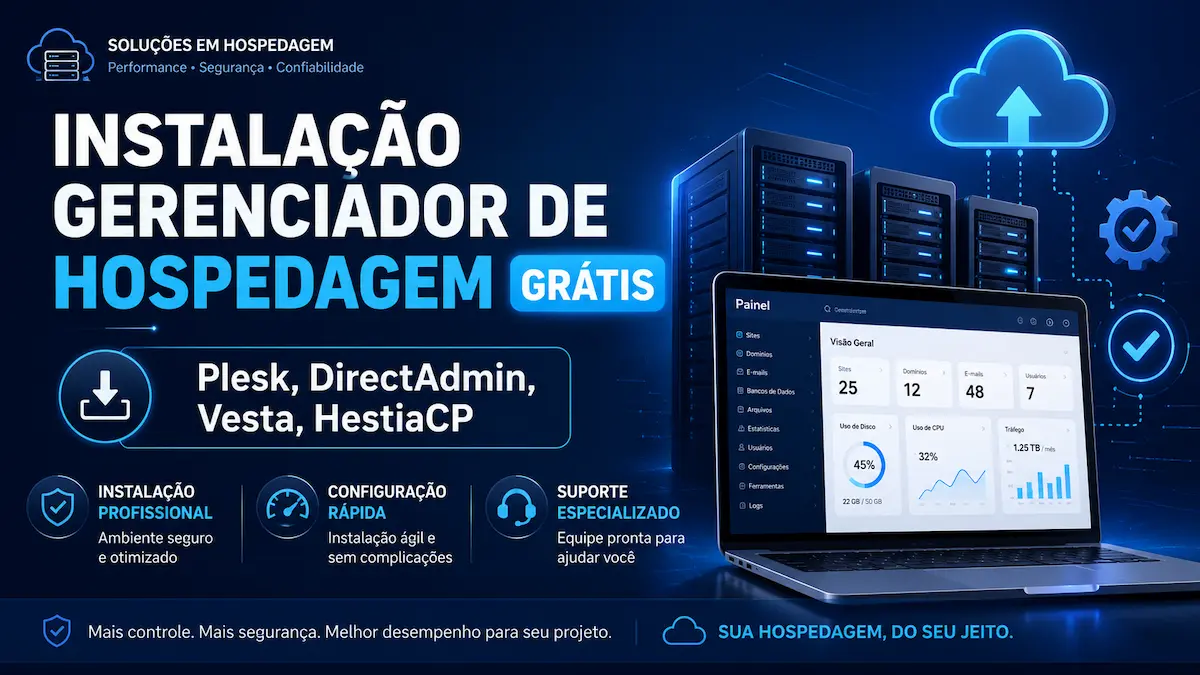
Free Hosting Manager Installation for Plesk, Directadmin, Vesta, Hestiacp

Professional installation and configuration service for web hosting managers, including Plesk, DirectAdmin, VestaCP, and HestiaCP.

Free Hosting Manager Installation for Plesk, Directadmin, Vesta, Hestiacp
Agência Pulsomax
Agência Pulsomax ★★★★★ 0,0/5 0 avaliações Nível 5 - 6 dias na plataforma
Ver loja do vendedor
Guaranteed delivery Receive the service you ordered or we refund your money.
Minimum 30-day guarantee We require sellers to offer at least 30 days of guarantee.
Orders in progress 0 orders for this product are currently in progress.

About this service

The customer can choose which hosting manager they want to install on the server from available options such as Plesk, DirectAdmin, VestaCP, or HestiaCP.

After order confirmation, our team will analyze the server, verify system compatibility, and install the selected control panel with the essential settings for its operation.

The delivery time is up to 48 hours, starting from the correct submission of access data and the information necessary for the execution of the service.

For installation, the client must have a VPS, dedicated, or cloud server with administrative access. Whenever possible, it is recommended to use a clean server, without any other hosting control panel installed, to avoid conflicts between services, ports, and configurations.

At the end of the service, the control panel will be delivered installed, configured, and tested, ready for the client to begin managing websites, domains, databases, email accounts, and other available resources.

What the buyer should send

To hire a web hosting manager installation service, the buyer needs to have an active server compatible with the chosen control panel. The service is primarily intended for VPS servers, dedicated servers, or cloud environments that allow full administrative access.

This type of installation cannot be performed on standard shared hosting plans, as the procedure requires root access to the operating system and permission to install, remove, and configure internal server services.

Before completing the purchase, the customer must choose which control panel they wish to install from the options available in the service, such as Plesk, DirectAdmin, VestaCP, or HestiaCP.

Information that must be sent.

After order confirmation, the buyer must send the necessary information for analysis and installation.

Typically, you will be asked for the following information:

  • Name of the panel you want to install;

  • Server IP address;

  • A user with administrative access, usually root;

  • Server password or SSH access key;

  • port used for SSH connection, if it is different from the default port;

  • operating system installed on the server;

  • Information about the provider where the server was contracted;

  • domain or subdomain that will be used to access the panel, when applicable;

  • Administrative email for initial setup;

  • Relevant additional information about the environment.

The data must be correct and up-to-date. If access is blocked, the password is incorrect, or the user does not have administrative permissions, the installation cannot begin until the problem is resolved.

The server needs to be active.

The server must remain active, connected to the internet, and accessible throughout the entire service interaction.

The provider must also allow SSH connections and not maintain blocks that prevent the installation of the components required by the control panel.

If the server is suspended, offline, inaccessible, or has administrative restrictions, the delivery deadline will be contingent upon resolving these issues.

Server requirements

The server must meet the minimum requirements of the chosen control panel. These requirements may vary depending on the system, the installed version, the number of websites, and the resources that will be used.

Among the main points analyzed are:

  • compatible operating system;

  • Available RAM memory;

  • Free disk space;

  • processing capacity;

  • Server architecture;

  • network connectivity;

  • Valid IP address;

  • administrative permissions;

  • absence of conflicts with other panels.

Before installation, our team can verify if the environment has the appropriate conditions to receive the selected manager.

If the server is not compatible, the client will be informed about the necessary adjustments or the possibility of using another control panel.

Clean server recommendation

For a new installation, it is recommended to use a clean server, without any other hosting control panel previously installed.

Control panels such as cPanel, CyberPanel, DirectAdmin, Plesk, VestaCP, HestiaCP, and others utilize various services, ports, files, and internal configurations. Having more than one control panel in the same environment can cause conflicts, installation failures, and instability.

It is also recommended that the server does not have any custom configurations that could interfere with the process, especially changes to:

  • firewall;

  • network ports;

  • web server;

  • database;

  • email service;

  • DNS;

  • PHP;

  • System permissions;

  • operating system repositories.

When necessary, reinstalling the operating system may be recommended before starting the service.

Servers with existing websites or data

If the server already has websites, databases, email accounts, files, or applications running, the buyer must inform the company of this before the service begins.

Installing a control panel can alter important server services and, in some cases, affect existing configurations.

For this reason, the client must clearly explain whether the environment is already in production and which resources need to be preserved.

The contracted installation does not automatically include:

  • website migration;

  • database transfer;

  • file recovery;

  • Application configuration;

  • Email account migration;

  • Correction of existing systems;

  • Adapting custom settings.

These services may require additional hiring or budgeting.

Backup before installation

It is the buyer's responsibility to maintain an up-to-date backup of all files, databases, emails, settings, and important information existing on the server.

Even when the procedure is performed with technical care, there may be previous errors, corrupted files, incompatibilities, or unknown configurations.

The backup should preferably be stored off-site from the server that will host the installation.

If the server is new and does not contain important information, this step may not be necessary, but it is still advisable to confirm that there is no data that needs to be preserved.

Panel license

Some hosting providers may require a paid license for installation or full use.

When the chosen panel requires a license, the buyer must possess a valid license or obtain one directly from the responsible supplier.

The installation service fee does not automatically include:

  • Plesk license;

  • DirectAdmin license;

  • paid extensions;

  • premium modules;

  • additional commercial resources;

  • Monthly fees charged by the panel provider.

Free panels or free versions may be installed depending on availability, compatibility, and the conditions presented in the service.

The customer is responsible for verifying the costs, limitations, and licensing rules of the selected panel.

Domain or subdomain for access

Some dashboards can be configured for access via a domain or subdomain, such as:

painel.seudominio.com.br

When this configuration is included or required, the buyer must have an active domain and access to DNS management.

The following may be requested:

  • domain or subdomain name;

  • Access to the DNS provider;

  • creation or modification of DNS records;

  • Information about the service responsible for the domain.

DNS propagation relies on external services and may take some time to complete.

Server access data

The buyer must provide functional administrative access via SSH.

Typically, this includes:

  • Server IP address;

  • root user;

  • SSH password or key;

  • SSH port.

Without this access, it is not possible to install the control panel or configure the necessary services.

The credentials will be used exclusively for providing the service. After the service is completed, we recommend that the client change the administrative password and review the authorized access privileges.

Panel selection

The buyer must clearly specify which panel they wish to install.

Before choosing, it's important to consider:

  • purpose of the server;

  • number of websites;

  • The need for email accounts;

  • user experience;

  • available resources;

  • licensing costs;

  • compatibility with the operating system;

  • ease of administration;

  • need for official support.

If the client has any doubts, they can provide the project specifications so that technical compatibility can be assessed. However, the final decision regarding the chosen panel will rest with the buyer.

Important information in case of reinstallation.

If the server has previously had another control panel installed, or if there is a need to reinstall the operating system, the client must report this.

Reinstalling the operating system typically erases all existing data on the server.

Therefore, the buyer must confirm that they have performed the necessary backup and authorize the reinstallation, when applicable.

Access to the server provider's control panel may be requested if necessary.

  • Reinstall the system;

  • restart the machine;

  • Access the console;

  • Change network rules;

  • unlock doors;

  • Check VPS settings;

  • Fix SSH access errors.

What should not be sent

The customer should not send any information that is not necessary for the execution of the service.

There is no need to provide passwords for personal accounts, social media, banking services, or other systems unrelated to the server.

All data submitted must be directly related to the installation and configuration of the panel.

Execution period

The delivery time is up to 48 hours, counted after the correct submission of all necessary data, access information, and credentials.

The deadline may be interrupted or extended when:

  • Incorrect data;

  • lack of root access;

  • Server is offline or suspended;

  • incompatible system;

  • lack of license;

  • Provider blocks;

  • Customer authorization is required;

  • delay in sending additional information;

  • problems external to the contracted service.

The timeframe only begins when our team has the technical capabilities to start providing service.

Checklist to send after purchase.

To facilitate the service, the buyer may send the information in the following format:

Selected panel:
Plesk, DirectAdmin, VestaCP or HestiaCP.

Server IP address:
Please provide the primary IP address.

Administrative user:
Normally root.

SSH password or key:
Send a valid credential.

SSH port:
Please specify the port used.

Operating system:
Please provide the name and version.

Server provider:
Please specify where the VPS or server was contracted.

Domain or subdomain:
Please specify if you wish to use an email address to access the dashboard.

License:
Please indicate if you already have a license, when required.

Server status:
Please specify if the server is new, empty, or already contains websites and data.

Additional notes:
Describe any important configuration, requirement, or restriction.

Providing all this information helps avoid delays and allows the installation to be carried out with greater accuracy, safety, and efficiency.

Guarantee policy

The hosting manager installation service has a guarantee of up to 30 days, starting from the completion and delivery of the installed control panel.

During this period, should any fault directly related to the installation or configurations performed by our team be identified, the client may request a new analysis at no additional cost, provided that the request is within the scope of the original contract.

The warranty covers technical problems resulting from the procedure performed, such as failures to access the control panel, essential services that do not start correctly, or configurations that may have been applied during installation.

The warranty does not cover problems caused by subsequent changes made by the customer or third parties, installation of incompatible programs, changes to the operating system, deletion of files, modifications to ports or firewalls, provider blocks, server suspension, external attacks, intrusions, hardware failures, lack of server resources, or updates performed without compatibility analysis.

Also not included in the warranty are additional services that are not part of the contracted installation, such as website migration, advanced email configuration, custom DNS settings, performance optimization, ongoing maintenance, file recovery, or fixes for external applications.

After 30 days, the warranty will be considered terminated. New requests for support, maintenance, configuration, or correction may require the purchase of a new service.

We recommend that the client maintain up-to-date backups, avoid critical changes without technical guidance, and change administrative credentials after the service is completed.

Dados do vendedor

Pedidos recebidos 8
Prazo da última entrega Aguardando
Clientes atendidos 1
Pedidos entregues 37,5%

Professional hosting manager installation

Pulsomax has been operating for over 12 years in software engineering, digital infrastructure, web development, and solutions focused on servers and website hosting.

During this period, we gained experience in meeting different technical demands, from basic configurations to environments that require more detailed analysis, service organization, and the application of appropriate security parameters.

We have qualified professionals to install and configure hosting management systems quickly, accurately, and professionally.

The customer can choose the control panel that best suits their needs from the options available in the service, such as Plesk, DirectAdmin, VestaCP, or HestiaCP.

Before installation, our team will analyze the server, operating system, available resources, and compatibility with the selected control panel. This procedure is important to reduce failures, avoid conflicts, and ensure that the installation is performed in a suitable environment.

The service delivery time is up to 48 hours, counted from the correct submission of all necessary access and information.

Service provided by qualified professionals.

Installing a hosting control panel involves various server components, such as web server, database, DNS, email, SSL certificates, firewall, permissions, users, and internal services.

An installation performed without technical knowledge can lead to problems such as:

  • Access failures to the dashboard;

  • Services that do not start correctly;

  • Port conflicts;

  • database errors;

  • difficulties in issuing SSL certificates;

  • problems sending and receiving emails;

  • Incorrect permissions;

  • security vulnerabilities;

  • Website instability;

  • Excessive consumption of resources.

By hiring Pulsomax, the client benefits from an experienced team, prepared to analyze the environment and perform the installation following a technical and organized process.

Our goal is to deliver the hosting manager installed, configured, and tested, ready for the buyer to start managing their websites and other resources.

How does the service work?

After the purchase is confirmed, the customer must specify which panel they wish to install and send the access details to the server.

Our team will verify:

  • the installed operating system;

  • the resources available;

  • compatibility with the chosen panel;

  • The existence of other managers;

  • potential configuration conflicts;

  • Administrative access to the server;

  • The necessary conditions to begin the procedure.

Once the environment is suitable, we will begin the installation of the selected panel.

After completion, tests will be conducted to verify administrative access and the functionality of the main installed components.

If any incompatibility, server limitation, or licensing requirement is identified, the client will be informed.

Quick and professional installation

We understand that a server can be essential for the operation of websites, online stores, applications, business systems, and digital projects.

Therefore, we work to complete the installation quickly, without compromising safety and technical quality.

The 48-hour timeframe begins after we receive all the necessary information, including root access, IP address, SSH port, operating system, and chosen control panel.

If the server is inaccessible, has incorrect data, or is blocked by the provider, the deadline will depend on resolving these issues.

What is a hosting manager?

A web hosting manager is a control panel used to manage servers and services related to website hosting.

Through a visual interface, the user can perform different tasks without relying exclusively on terminal commands.

Depending on the chosen panel, it will be possible to manage:

  • websites;

  • domains;

  • subdomains;

  • email accounts;

  • databases;

  • SSL certificates;

  • users;

  • files;

  • backups;

  • DNS records;

  • PHP versions;

  • Server resources;

  • hosting accounts;

  • security settings.

The control panel centralizes these functions and facilitates the administration of the environment.

Advantages of using a web hosting manager

Centralized administration

One of the main advantages is the ability to manage different resources in a single location.

Instead of accessing various tools or performing all operations via command line, the user can utilize a centralized interface to organize websites, domains, databases, email accounts, and other functionalities.

This centralization facilitates daily work and makes server administration more practical.

Easy to manage websites

With a hosting manager, the user can create and manage different websites within the same server.

Depending on the dashboard, it will be possible to add domains, configure directories, create databases, install SSL certificates, and track information related to each project.

This feature is especially useful for:

  • developers;

  • agencies;

  • companies;

  • self-employed professionals;

  • Server administrators;

  • hosting providers;

  • Users with multiple websites.

More user-friendly interface

Although server administration still requires technical expertise, a visual dashboard makes many tasks more accessible.

The user can perform frequent operations without needing to memorize commands or manually edit different configuration files.

This can help people with less technical experience and also increase the productivity of experienced professionals.

Domain and subdomain management

Hosting control panels allow you to organize domains and subdomains used by websites.

This feature makes it easier to create new projects, test environments, administrative areas, and different structures linked to the main domain.

Creation and administration of databases.

Websites and systems often rely on databases to function.

With a hosting manager, the user can create databases, users, and credentials directly through the control panel, as well as access administration tools when available.

This simplifies the setup of:

  • WordPress websites;

  • online stores;

  • business systems;

  • web applications;

  • content platforms;

  • customized projects.

SSL certificate management

SSL certificates are used to protect communication between the server and website visitors.

A hosting manager can facilitate the issuing, installation, and renewal of these certificates.

With SSL configured correctly, the website can use HTTPS, reducing insecure connection alerts and helping to protect transmitted information.

Email account management

Depending on the control panel and server configuration, the user may be able to create professional email accounts linked to their own domains.

Examples:

The panel can help with account creation, password management, storage limits, and other settings.

It's important to remember that the proper functioning of the email service also depends on DNS, IP reputation, authentication, and specific settings.

File management

Many control panels offer tools for managing website files.

This may allow:

  • send files;

  • Create directories;

  • edit settings;

  • Change permissions;

  • delete content;

  • organize the structure of the projects.

This feature simplifies simple tasks and reduces the need to use external tools in certain situations.

User and access organization

A hosting manager can allow the creation of different users and access accounts.

This feature is useful for companies and agencies that need to separate projects, clients, or permission levels.

The administrator can maintain primary control of the server and provide specific access as needed.

DNS Management

DNS records control the routing of domains, websites, emails, and other services.

With a hosting control panel, some of these settings can be managed through an organized interface.

This can make it easier to make changes to records such as:

  • THE;

  • AAAA;

  • CNAME;

  • MX;

  • TXT;

  • SPF;

  • DKIM;

  • DMARC.

The availability of these features will depend on the chosen dashboard and the configuration used.

Backup features

Some managers offer tools for creating and restoring backups.

Backups may include:

  • website archives;

  • databases;

  • email accounts;

  • settings;

  • hosting accounts.

Even when the control panel has this feature, we recommend keeping additional copies off the main server.

A backup stored only on the same server can be lost in cases of serious failure, suspension, intrusion, or storage problems.

Resource control

Depending on the selected manager, the administrator will be able to monitor information about the consumption of:

  • RAM memory;

  • processing;

  • disk space;

  • traffic;

  • accounts;

  • services;

  • processes;

  • databases.

This information can help identify limitations and plan infrastructure improvements.

Management of multiple projects

For those who manage multiple websites, a hosting control panel can offer a more organized structure.

The user can view different domains and resources in a single environment, reducing the time spent on repetitive tasks.

This advantage is important for agencies, developers, and companies responsible for multiple projects.

Reducing dependence on commands

Without a control panel, many settings need to be configured directly in the terminal.

While knowledge of the command line remains important for advanced tasks, a manager can simplify routine activities.

This allows the user to focus more time on project management and less time on manual procedures.

Better infrastructure organization

Centralizing resources contributes to a more organized structure.

Websites, databases, email accounts, users, and domains can be managed separately and in an identifiable manner.

This organization reduces confusion and facilitates future maintenance.

Possibility of creating a hosting structure.

Some dashboards allow you to create separate accounts for different users or clients.

This allows the server to be used to host multiple projects with separate access.

This feature can be useful for:

  • agencies that host client websites;

  • developers who manage projects;

  • companies with different units;

  • Professionals who offer website maintenance;

  • small hosting providers.

Capacity and performance will depend on the resources contracted for the server.

Different panel options

Each panel has specific characteristics, licensing models, and functionalities.

Plesk

Plesk is known for its organized interface and for offering various tools for managing websites, domains, databases, emails, and applications.

It's a commercial option and usually requires a valid license.

DirectAdmin

DirectAdmin is a commercial control panel used for managing servers and hosting accounts.

It is known for having a relatively simple interface and for allowing different levels of access.

Use typically requires a license.

VestaCP

VestaCP is a control panel designed for managing servers, websites, databases, DNS, and email.

Before installation, it is important to check compatibility, available updates, and suitability for the environment.

HestiaCP

HestiaCP is a free option used to manage websites, domains, databases, emails, DNS, and other resources.

It can be an alternative for users who want a control panel without the cost of a commercial license, provided it is compatible with the server and the project's needs.

Which panel to choose?

The choice should consider the type of project, the user experience, the server resources, and the available budget.

Before choosing, consider:

  • License required;

  • number of websites;

  • number of users;

  • need for emails;

  • ease of use;

  • security features;

  • System compatibility;

  • Supplier support;

  • frequency of updates;

  • infrastructure capacity.

The customer can choose any of the options available in the service, provided that the server is compatible and the necessary licenses are available.

Safety during installation

The installation will be carried out following technical safety parameters compatible with the environment.

Our team will observe points such as:

  • administrative access;

  • permissions;

  • active services;

  • doors used;

  • credentials;

  • System compatibility;

  • essential settings;

  • Access to the dashboard;

  • components installed.

After completion, we recommend that the client change their administrative passwords and keep their credentials secure.

We also recommend performing frequent backups, updating the system, and using strong passwords.

Service guarantee

The installation is guaranteed for up to 30 days, starting from the date of panel delivery.

During this period, if a fault directly related to the installation or configurations performed by our team is identified, the client may request an analysis within the scope of the contract.

The warranty does not cover problems caused by subsequent changes, incompatible updates, modifications made by third parties, provider blocks, external attacks, lack of server resources, or improper use of the control panel.

Why hire Pulsomax?

Pulsomax has over 12 years of experience in software engineering and works with professionals prepared to meet demands related to servers, applications, websites, and digital infrastructure.

By subscribing to this service, the customer will have:

  • professional service;

  • compatibility analysis;

  • Installation of the chosen panel;

  • initial setup;

  • Validation of functionality;

  • Delivery time up to 48 hours;

  • up to 30 days warranty;

  • execution following security parameters;

  • Support related to the contracted scope.

Our goal is to offer clear, fast, and efficient service, reducing risks and providing clients with an organized environment to manage their projects.

Final considerations

Using a hosting manager can significantly simplify server administration.

The control panel centralizes important resources, facilitates website creation, and allows you to manage domains, databases, emails, SSL certificates, files, and users.

Pulsomax is prepared to professionally install and configure the chosen control panel, taking into account the server's technical specifications and the client's needs.

With over 12 years of experience in software engineering, our team has the expertise to fulfill this demand quickly, accurately, and responsibly.

Before contracting, the client must have an active and compatible server, administrative access, and, when necessary, a valid license for the selected control panel.

Avaliações

Este produto ainda não possui avaliações aprovadas.

0,0 ★★★★★ 0 avaliações

Pedidos entregues recentes

#1XX Interlinks Manager - Internal Links Optimizer for WordPress Versão 1.43
1 unidades 10/07/2026 21:45
#1XX Interlinks Manager - Internal Links Optimizer for WordPress Versão 1.43
1 unidades 10/07/2026 21:10
#1XX Interlinks Manager - Internal Links Optimizer for WordPress Versão 1.43
1 unidades 10/07/2026 21:10

Produtos relacionados

Chat on WhatsApp