Instagram
  by
by 
 10 min read

Have you ever wondered how to appear on Instagram's Explore page? When it comes to growing on social media, especially Instagram, appearing on the Explore tab is one of the best ways to achieve good organic growth. After all, this is where users go when they want to discover new content on the platform. On Instagram's Explore page, content creators can strategically position their posts, ensuring they reach those most interested in them. So, we can say that appearing on Explore is as important as buying active Instagram followers as a growth strategy on the social network. But, simply creating a new post isn't enough to be seen on Instagram's Explore page. This is where many users are surprised and ask themselves: how to appear on Instagram's Explore page? If you have this question, keep reading and check out the tips to improve your performance on Instagram!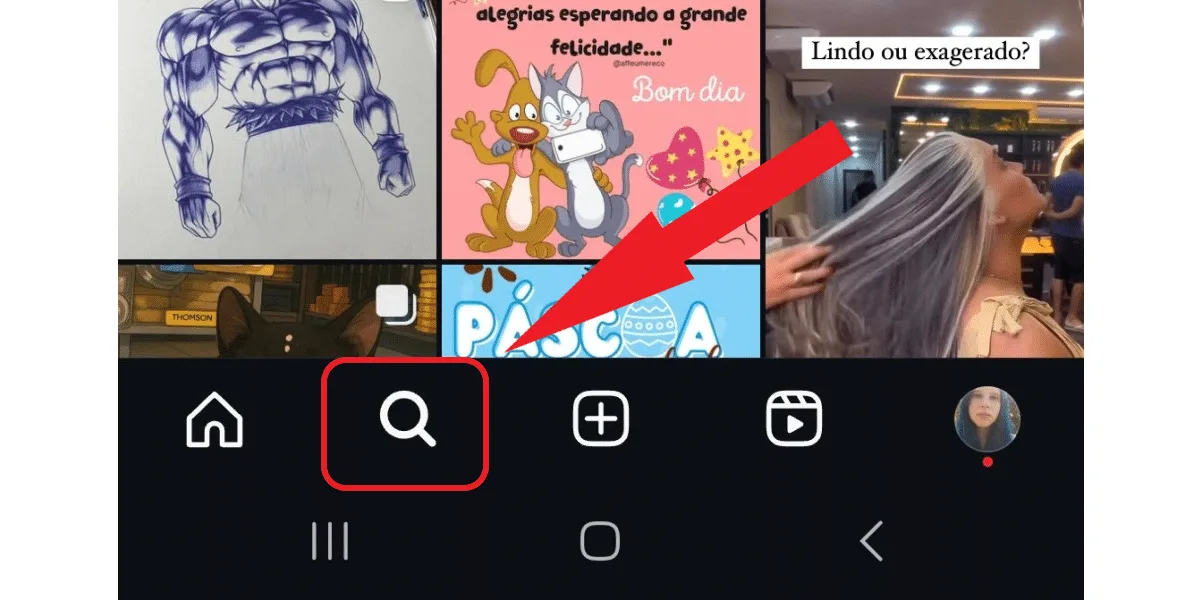 When you better understand how post selection works to appear on the Explore page, you also learn better how to actually appear on Instagram's Explore page in practice. So, to make your journey easier in creating content that appears more often on Explore, check out these tips on the types of posts that tend to appear in this tab most frequently:
What is the Instagram Explore page?
Before we talk about how to appear on Instagram's Explore page, it's necessary to better understand what this part of Instagram is, even to grasp the importance of appearing here. Instagram's Explore page is a tab in the Instagram app, represented by the magnifying glass in the lower corner of the screen, that selects and displays content based on the user's interests. This means that each user sees Instagram's Explore page differently, only seeing the content that the Instagram algorithm considers relevant to show that person. In other words, the content you publish on the social network won't appear on the Explore page of all users, but only to those selected by the platform based on their content preferences. This detail makes all the difference for those who want to know how to appear on Instagram's Explore page. Because, instead of focusing on reaching a varied audience, content creators realize that it's much more effective to create posts according to the interests of a specific audience, appearing to the largest possible number of people interested in that content.Why is it important to appear on Instagram's explore page?
Appearing on Instagram's Explore page means gaining more visibility within the social network. When a content creator's posts are frequently displayed on the Explore tab, it means they are correctly connecting with their target audience's interests. Therefore, this translates to more views, likes, comments, and shares. Of course, simply figuring out how to appear on Instagram's Explore page and establish a presence there isn't enough; your content needs to be clicked on and seen by users. But simply being on Explore makes this much easier and more frequent. After all, your content is displayed to people with a high probability of clicking on it to check it out. Therefore, the more relevant content you create, the greater your chances of reaching a wide group of people on Instagram's Explore page. Want more tips to stand out on Instagram? Also read: 5 strategies to make your videos go viral on Instagram .How to appear on Instagram's Explore page? The algorithm's criteria.
To discover how to appear more effectively on Instagram's Explore page , the first step is to understand the main criteria that the Instagram algorithm uses to select the content that appears on the Explore tab. Of course, we don't know everything about how the algorithm works, as Instagram itself doesn't reveal all of this information. But, after years of Instagram being in the market, marketing professionals have learned a lot about it and have discovered that some criteria make a difference in determining how to appear on Instagram's Explore page. Check it out:- Regarding the publication information: Instagram analyzes the relevance of content through the number of views, likes, and shares.
- Information about the content creator's profile: the algorithm evaluates the creator's overall engagement levels, their number of followers, and the content itself to decide if it is of interest to other users and relevant enough.
- Content creator history: the algorithm evaluates the content creation history and online activity of the creator profile owner. This includes previous behaviors and interactions on the platform, publication frequency, and content of the publications.
- Instagram user history: the algorithm also analyzes the behavior of the user to whom the content is displayed, especially their previous interactions with the content creator's profile and also with similar content.
- Instagram prioritizes showing only content that is of interest to the user;
- Instagram evaluates which content users are interested in is most relevant, in order to decide what to show them.
Tips on the most frequently appearing content
When you better understand how post selection works to appear on the Explore page, you also learn better how to actually appear on Instagram's Explore page in practice. So, to make your journey easier in creating content that appears more often on Explore, check out these tips on the types of posts that tend to appear in this tab most frequently:- Content from accounts that the user follows;
- Content from accounts with which the user interacts most, liking, commenting, and sharing, even if they don't follow them;
- Posts with which the accounts followed by the user interact the most;
- Recent content with high levels of engagement;
- Posts with hashtags and location tags in places near the user, especially places where they usually shop.
How to appear on Instagram's Explore page? Effective strategies.
Okay, now that you better understand the criteria Instagram uses for selecting posts to appear in the Explore section, you can start creating content with a higher chance of appearing there. And to further enhance your results, we've prepared some tips on effective strategies that are easy to implement. Want to know how to appear in Instagram's Explore section more often? Then check it out below.Know your target audience first.
The content you publish should always be targeted to your audience . This means you need to think about what people interested in the content of your posts would like to see, as well as understand their pain points, complaints, and questions, to know how to appear on Instagram's Explore page. All of this is necessary to:- Create content that your audience enjoys watching;
- Create content that answers your users' questions, using practical applications;
- Planning and creating content that addresses the audience's pain points and dissatisfactions results in greater engagement with the publication.