Instagram
  by
by 
 10 min read
Have you ever wondered how to find out who visited your Instagram profile ? Well, if you're here today, you probably have! After all, this information is important, both for curious users who want to know if someone is browsing their profiles, and for users interested in a good marketing strategy! This is natural. After all, content creators want to know their followers. And most people, from time to time, want to know if a particular user visited their profile or not. There's no denying that knowing who visited your Instagram profile is very relevant information. This data would be very valuable for digital marketing strategies, allowing for more precise analyses for the creation of personalized content. This is very effective for increasing your audience, as is buying Instagram followers . However, is this possible? If you're wondering how to find out who visited your Instagram profile, read to the end, clear up your doubts, and see how to get a clearer idea of who visits your profile on the social network!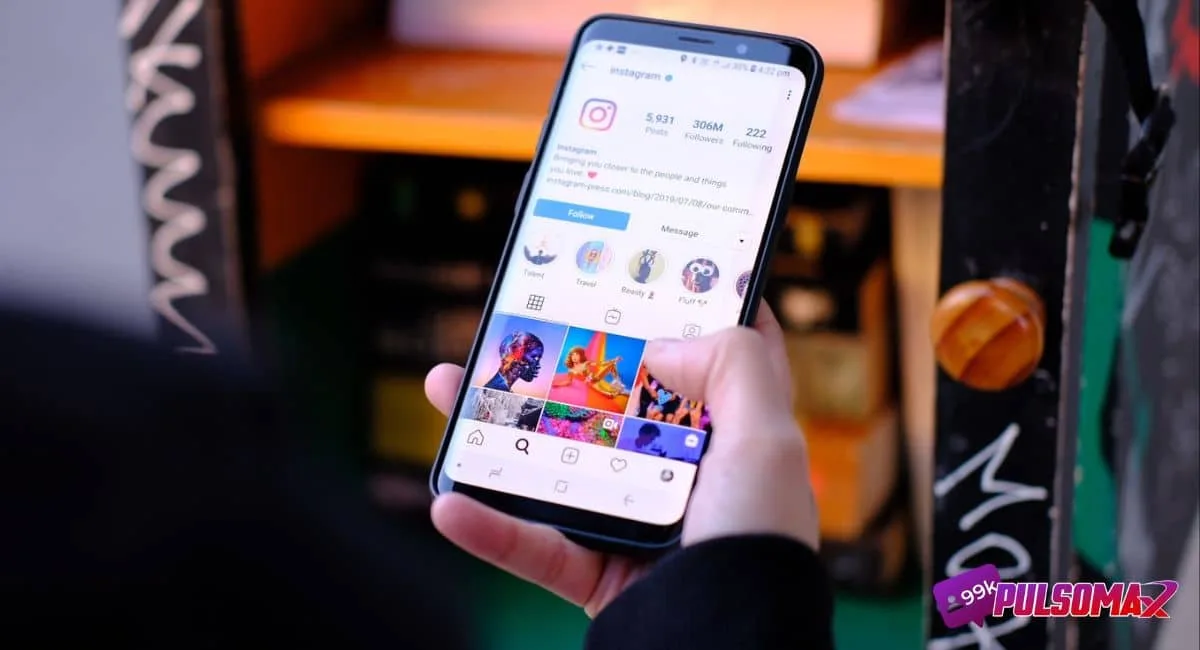 Instagram Profile[/caption] There's no way to know who visited your Instagram profile, even with a professional account. But, if you transform your Instagram account into a professional profile, you'll have access to a dashboard with various relevant statistics about the activity on your profile. This way, you can access your visit history, see how many people visited your profile in the last 90 days, and obtain information such as:
 Those who want to find out how to see who visited their Instagram profile can also do so through Instagram Stories. Of course, you won't be able to see everyone who visited your account, but you can check all the profiles that viewed your stories . Except for those who use a website or app to view stories anonymously on Instagram . Therefore, this is the best way to see who has been looking at your account. After all, most people who visit your profile will hardly leave without looking at your stories. And the best part: you can access this information even if the profile doesn't belong to a follower. To see who viewed your stories, first make a post. Then, when you want to check, just access your story, swipe up, and you will have access to a list of people who viewed the post in the last 24 hours. But be aware: when your story disappears, this list will also disappear! This means you need to check who viewed the post within 24 hours, before it disappears.
 There are some third-party websites and apps that promise to answer the question of how to quickly, safely, and often for free, find out who visited your Instagram profile. However, this practice violates Instagram's guidelines and can seriously harm your account. This is because when you authorize third parties to access sensitive data such as your login and password, you are engaging in inauthentic activity, violating community guidelines, and this can lead to penalties from Instagram. Furthermore, you need to consider the security of your account. You will be placing your data on a third-party platform, making you more susceptible to account theft and malware/virus infections. So, if you decide to use one of these apps, be aware that there are many, and you should thoroughly research the reputation of the app or website before risking entering your profile data. This is especially true if you already have a good number of followers, regularly publish content, and even invest in buying Instagram likes , comments , and followers. You could lose your investment along with your account!
How can I find out who visited my Instagram profile?
No, unfortunately there's no official way to know who visited your Instagram profile. This is because Meta, the company responsible for the social network, doesn't provide any tool to identify users who visit other profiles. Of course, this answer frustrates most people who wonder how to know who visited their Instagram profile, especially those who are committed to promoting a business or even becoming a digital influencer. However, although you can't know exactly who visited your profile, there are ways to obtain more data about visits so you can have more information to formulate your digital marketing strategies.How can I find out who visited my Instagram profile with a professional account?
[caption id="attachment_2826" align="alignnone" width="1200"] Instagram Profile[/caption] There's no way to know who visited your Instagram profile, even with a professional account. But, if you transform your Instagram account into a professional profile, you'll have access to a dashboard with various relevant statistics about the activity on your profile. This way, you can access your visit history, see how many people visited your profile in the last 90 days, and obtain information such as:- Sum of all accesses from visits received;
- How many individual accounts accessed their content?
- Impressions, which is the number of times your account is shown to other users.
How to create your professional Instagram account step by step.
Switching your personal account to a professional profile on Instagram is very simple, just follow these steps:- Access your Instagram profile via the app on your Android or iOS device;
- Right below your photo, tap on edit profile;
- At the bottom of the page, click on "switch to professional account";
- Next, set up your professional account information.
What can I find out with Instagram Insights?
Once you've made this change, you can access your professional account statistics through Instagram Insights. With the "accounts reached" option, for example, you can see how many unique accounts accessed your profile. This is very important information, as many Instagram users have more than one profile on the same account. In addition, with this tool, you can obtain the following data:- What is the reach of your publications?
- Geographic location and age range;
- User engagement on Instagram Stories;
- Number of users who clicked on your email or website.
Discover with Instagram Stories
Those who want to find out how to see who visited their Instagram profile can also do so through Instagram Stories. Of course, you won't be able to see everyone who visited your account, but you can check all the profiles that viewed your stories . Except for those who use a website or app to view stories anonymously on Instagram . Therefore, this is the best way to see who has been looking at your account. After all, most people who visit your profile will hardly leave without looking at your stories. And the best part: you can access this information even if the profile doesn't belong to a follower. To see who viewed your stories, first make a post. Then, when you want to check, just access your story, swipe up, and you will have access to a list of people who viewed the post in the last 24 hours. But be aware: when your story disappears, this list will also disappear! This means you need to check who viewed the post within 24 hours, before it disappears.Check who likes and comments on your posts.
For those interested in "how to know who visited my Instagram profile," another good alternative is to keep an eye on who likes and comments on your posts. If someone likes and comments, it means the post appeared to them on Instagram. And from that post, they may have visited your profile and viewed other content on your account. Therefore, there's a good chance that whoever likes and comments on your Instagram, even if they aren't your followers, has visited your profile. Remember that Instagram's algorithm shows new posts based on user interests, and your post may therefore appear to other people, even if they don't follow you. The only way to avoid this is to have a private Instagram account.How can I find out who visited my Instagram profile using third-party apps?
There are some third-party websites and apps that promise to answer the question of how to quickly, safely, and often for free, find out who visited your Instagram profile. However, this practice violates Instagram's guidelines and can seriously harm your account. This is because when you authorize third parties to access sensitive data such as your login and password, you are engaging in inauthentic activity, violating community guidelines, and this can lead to penalties from Instagram. Furthermore, you need to consider the security of your account. You will be placing your data on a third-party platform, making you more susceptible to account theft and malware/virus infections. So, if you decide to use one of these apps, be aware that there are many, and you should thoroughly research the reputation of the app or website before risking entering your profile data. This is especially true if you already have a good number of followers, regularly publish content, and even invest in buying Instagram likes , comments , and followers. You could lose your investment along with your account!Third-party apps vs. privacy
Using a third-party app is a choice many users make to answer the question of how to see who visited their Instagram profile, even though it's not a recommended practice. However, in addition to the risks already mentioned above, you also need to consider your privacy. The platform you choose to see who's viewing your profile will have access to your Instagram account and, consequently, your personal information. If your data isn't stored securely , or if the chosen platform is fraudulent, third parties can access your profile and see all your posts. Furthermore, they can also access personal data, including banking information, if you've linked this information to your profile to pay for ads, for example. Some of these apps that promise to show who visited your Instagram profile may even be programmed to clone your data when you log in, or to send spam containing malware and viruses to your email inbox.Beware of misinformation!
Finally, if you're thinking of using a third-party app or website to answer the question of how to find out who visited your Instagram profile and clear up any doubts, there's one more important point to pay attention to: some of these apps display false information about visits, and most of them don't deliver on their promises, providing inaccurate information. This can lead users to worry unnecessarily about possible visits from strange profiles that didn't actually happen. Or, it can cause the profile owner to make incorrect interpretations about potential visitors to their account. Therefore, the best choice is to use Instagram Stories to get an idea of who is viewing your account if you want to find out if a specific profile is visiting yours. Or, you can transform your account into a professional account and analyze the data from Instagram Insights to create a more accurate profile of your target audience if your goal is to improve your marketing strategies!Conclusion
Unfortunately, there's no direct way to answer the question of how to know who visited your Instagram profile. Instagram doesn't have a native tool that allows you to see who has visited your profile. However, you can access the total number of visits to your profile over the last 30, 60, and 90 days , and even identify the number of unique accounts that visited your profile, using Instagram Business. For those who don't have a business profile, or want to know the precise identity of who visits their profile, the only way is through Instagram Stories, comments, and likes on posts. When a profile performs these actions on another, Instagram allows the account owner to see them. Just remember: to see who visited your stories, do it within 24 hours, because when they disappear, the list of viewers will also disappear. And for those who want to find out how to know who visited their Instagram profile and are thinking of using a third-party app, be warned: this practice is not recommended, as it violates Instagram's guidelines and exposes the user to several security risks. Therefore, think carefully and do your research before making this decision!Is it true that Instagram shows who visited your profile?
No, that's a lie. Meta, the company responsible for Instagram, does not identify users who visit your account, and does not send notifications about new views on your profile.Is it possible to see which profiles you've visited on Instagram?
No, but you can see which profiles you've recently searched on Instagram. Therefore, it's very likely that you've visited them as well. To do this:- Go to your profile and tap on your photo in the bottom right corner;
- Click the button with 3 horizontal lines on the next tab, in the upper left corner;
- Go to "your activity";
- Go to recent searches to see which profiles you've searched for on Instagram.