Instagram
  by
by 
 9 min read
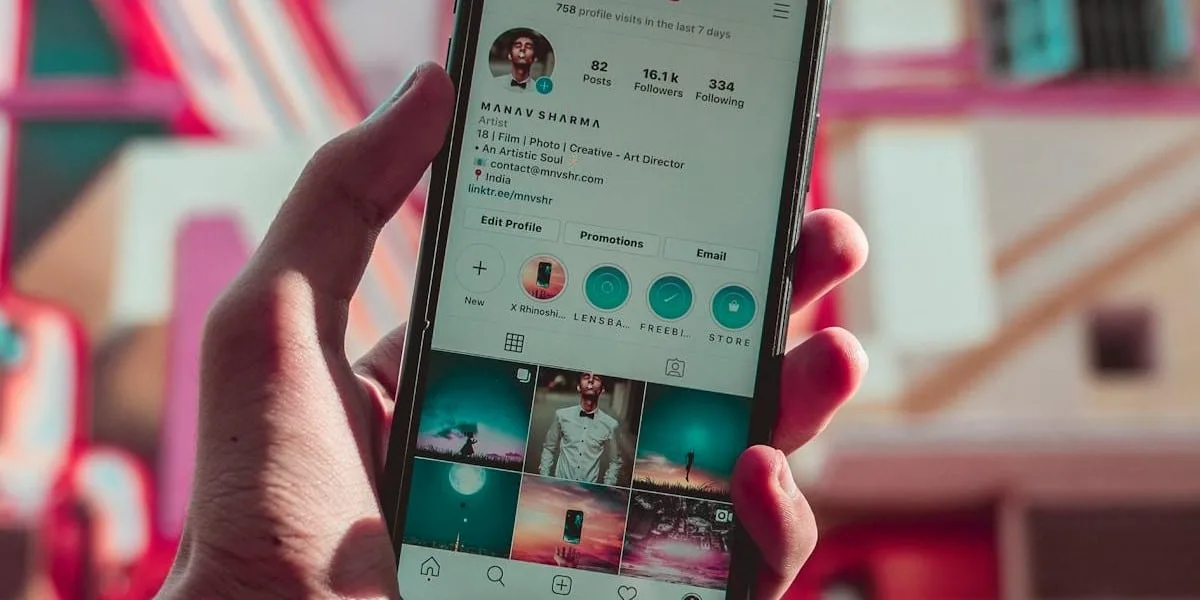
How to find out who unfollowed me on Instagram? One of the biggest desires of active Instagram users is to find a way to see which followers have stopped following their profile. We can say that this desire is as strong as finding out how many people you can unfollow on Instagram per day . After all, both functions have great practical utility! Anyone who wants to become known on Instagram, whether to promote their business or to become a digital influencer, knows how the loss of followers can have a real impact on their account. After all, these people strive, dedicate themselves, publish quality content, and even invest financially in buying Instagram followers to boost their profile. But Instagram always preserves user privacy and does not notify any user's profile when someone unfollows their account. On the other hand, we understand that for some people it may be important to keep track. So, if you want to find out how to see who unfollowed you on Instagram, keep reading! Because we've prepared some super practical and simple tips for you!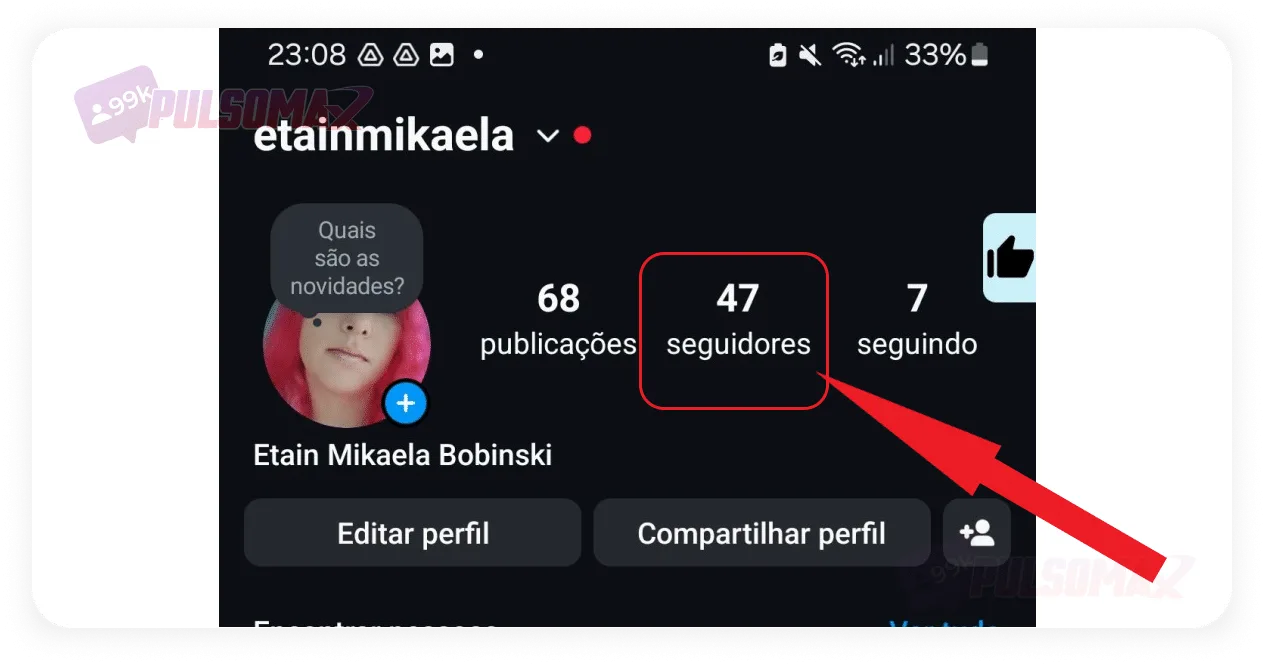 If you prefer to use other apps to find out who unfollowed you on Instagram, we've prepared some suggestions for you to enjoy!
How can I find out who unfollowed me on Instagram?
Many people ask how to find out who unfollowed them on Instagram, and are frustrated to discover that the social network doesn't have a native mechanism to perform this function. However, you can be happy to know that there are many other ways to do this! And the first, and simplest, way is to go to the followers button on your profile , which you access by tapping on your profile picture thumbnail in the bottom right corner of the screen. By doing this, Instagram will display a complete list of all your followers, and you can check if you miss anyone. Also check the number of followers, because if it's lower, then it's certain that your profile has had unfollows recently. However, even if you know that people have unfollowed you, if you have many followers, it can be difficult to identify exactly who no longer follows you. But to solve this problem, there are other methods that you will learn about in this post!How to find out who unfollowed me on Instagram using Reports+
Reports+ is an app available for Android and iOS that can be the perfect solution for those wondering how to find out who unfollowed them on Instagram. Upon installation, the app will analyze your profile and send notifications about various account activities, including when someone unfollows you. However, when choosing this option, the user needs to be aware of some details about the app:- You need to provide your login and password to use it;
- The app will request some permissions that may be intrusive for some users, such as authorization to post on their profile and follow other accounts.
How can I use Reports+ to find out who unfollowed me on Instagram?
If you've decided to use the Reports+ app to find out who unfollowed you on Instagram, the first step is to download the application. Then:- Open the app and log in to your Instagram account by clicking on Instagram Log In;
- Find the " Lost Followers" tab on the app's home page;
- See who unfollowed you on Instagram;
- If you want to stop following the user back, tap on Drop Tracking .
- Number of posts from your account and the accounts you follow;
- Number of followers on your account and the number of accounts you follow;
- Stories from friends;
- Accounts you follow, but that don't follow you back.
- Accounts that follow you, but don't follow back.
- Who removed likes from your posts or deleted comments.
How can I find out who unfollowed me on Instagram using other apps?
If you prefer to use other apps to find out who unfollowed you on Instagram, we've prepared some suggestions for you to enjoy!1. Analyzer Plus
Analyzer Plus is an iOS app that only unlocks all its features in its paid version. However, it's still a great option for finding out who unfollowed you on Instagram. After all, you can still view the profiles of those who no longer follow you on the social network in the free version. The free version also provides a graph showing the variation in your account's followers over time.2. Followers + Stalker
Followers+ Stalker for Instagram is available for Android and reveals who unfollowed your profile, in addition to offering other interesting features, such as showing who blocked you on the social network, which accounts don't follow you back, and which are your most popular posts. However, most features are only available in the premium plan, which requires a monthly subscription and unlocks features immediately upon payment. Even so, it's worth it to find out how to know who unfollowed you on Instagram.3. Followers & Unfollowers
Followers & Unfollowers is another interesting alternative for those looking for an app to learn how to find out who unfollowed them on Instagram. Available for Android , it's a free app, although the ads in the free version might bother some users. If that's your case, you can opt for the premium version of the app to learn how to find out who unfollowed you on Instagram. In any case, with it you can see a list of profiles you follow but who don't follow you back. And you can even select the first 50 accounts on the list to unfollow them all at once.4. Reportly - Follower Tracker
Reportly - Follower Tracker lets you easily monitor who has unfollowed your Instagram profile. Available for Android , the app has a paid and a free version, and offers other interesting features. For example, it allows you to see which people have blocked you, which users like and comment on your posts the most, among other functions. Keep in mind that some features of this app are only available in its premium version. However, in the free version, you will already achieve your goal of finding out who unfollowed you on Instagram.5. Followers Reports & Trackers
Our final suggestion to answer the question of how to find out who unfollowed me on Instagram is Followers Reports & Trackers , which allows you to see who unfollowed your account, as well as showing which accounts you unfollowed yourself on the social network. Available for iOS , the app has other useful features, such as revealing hidden fans and showing data on likes and comments. However, to access all features, you need to subscribe to the premium version.Use the Google Chrome extension "Unfollowers on Instagram".
For those who use Instagram Web, or don't want to download an app to learn how to find out who unfollowed them on Instagram, we have another tip: the Unfollowers extension for Google Chrome. With this extension, you can easily see who doesn't follow you back on Instagram. Therefore, it's also an excellent way to find out who unfollowed you on the social network. To start using the extension, first open your Google Chrome browser on your computer;- Next, copy and paste this address chromewebstore.google.com/category/extensions into your browser's address bar and press Enter;
- On the extension page, tap the magnifying glass icon and type "Instagram Non-Followers" ;
- Click on the option that appears in the search results;
- Now, click on add extension ;
- Click the puzzle piece icon at the top of the page, then click the bell next to the extension's name to make it visible and pinned to your browser;
- On Instagram, open in your browser, click the pink tool icon to start using the extension;
- Finally, tap " upload" to see the list of people who don't follow you back.